Product, Meetings
Meetings that end with minutes, not homework.
Plan the meeting, keep the agenda and the notes in one place, and let nerix write the minutes and file the action items as tasks. The people who were not there get the recap.
The free plan is one seat and 3,000 credits a month, never charged.
01Schedule
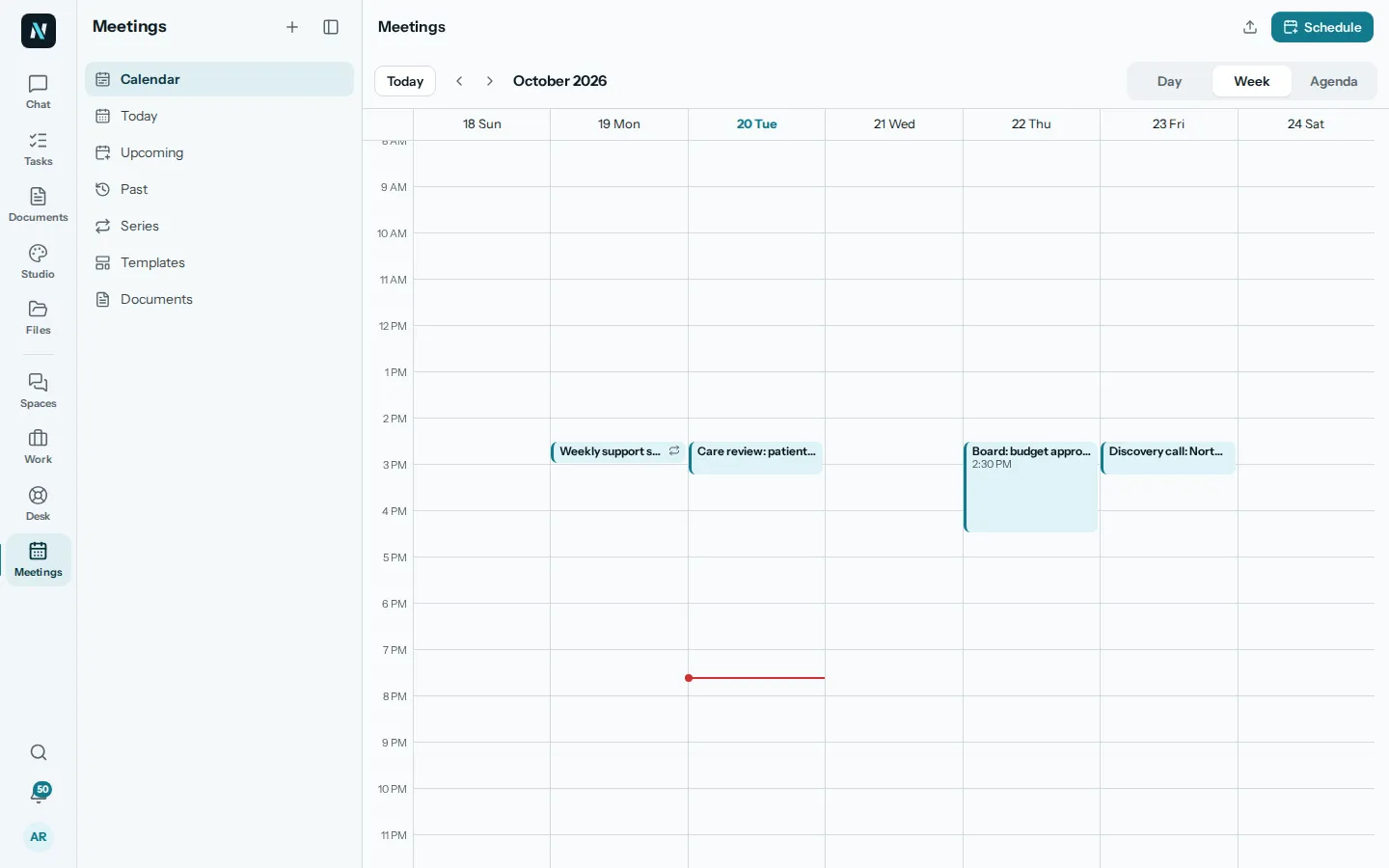
Find a time, invite the people, set the agenda.
Press Schedule or click a free slot on the calendar. Set the title, the length, who comes (mark someone Optional), a video link or a place, and whether it repeats. Invitations go out by email when you save.
Look at the week, the day or an agenda list, or open Today, Upcoming, Past, Series and Templates from the menu.
What nerix does here
- Ask in the chat what meetings you have tomorrow and get the answer with a link to each one.
- Find a meeting by what it was about, and what was decided in it.
02Before
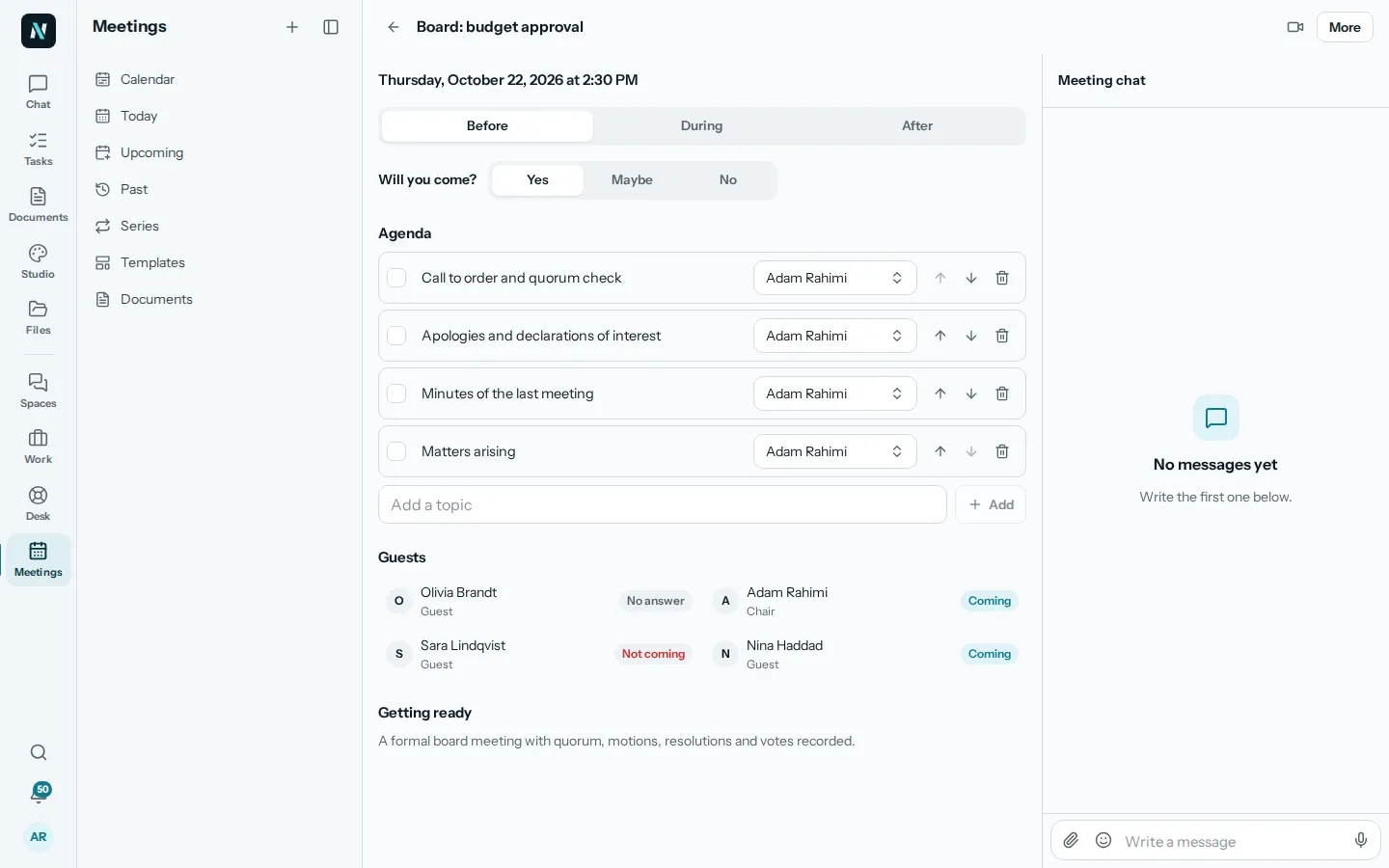
Everyone arrives knowing what it is about.
The Before tab holds the agenda, with an owner for each topic, the guests and their answers, and a place to say Yes, Maybe or No. Topics you did not reach carry over to the next meeting.
Each meeting has its own chat, so the questions and files for it stay beside it.
What nerix does here
- Answer questions about a meeting, its agenda and its guests, from what you are allowed to see.
- Start a meeting from a template for the kind you hold often, such as a board meeting.
03During
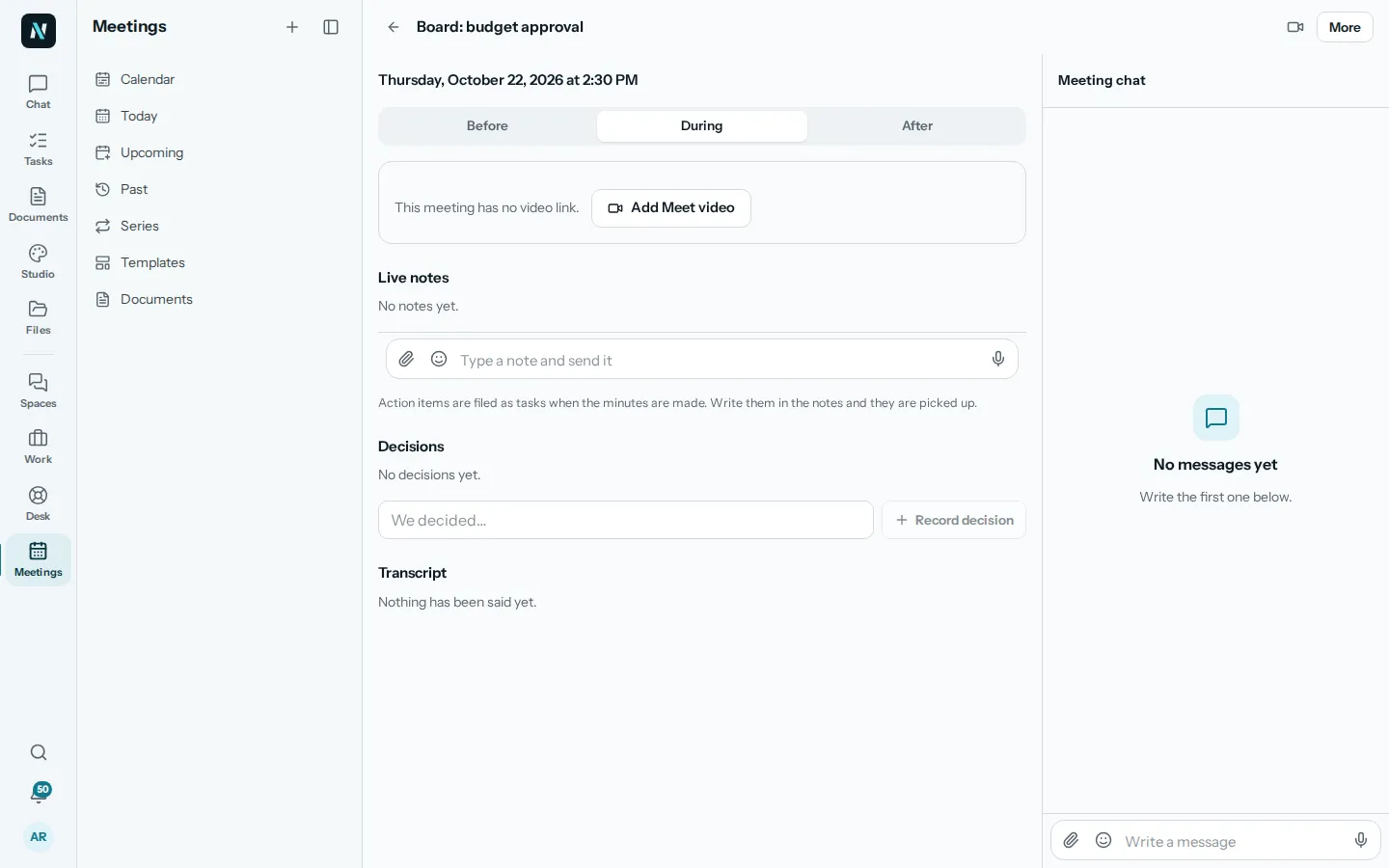
Notes, decisions and the transcript while you talk.
The During tab has Join the meeting, Live notes, Decisions and the transcript. Type a note and send it, or dictate it. Write a decision as We decided and record it. Action items written in the notes are picked up when the minutes are made.
Need to talk now? Start a meeting, invite people from the workspace or outside by email, and the video room opens inside nerix with the live notes beside it. People outside join from their own link and need no account. Choose whether notes are kept, so everyone knows.
What nerix does here
- Turn the call into a transcript when notes are on.
- Keep what was said and decided in one place for the minutes.
04After
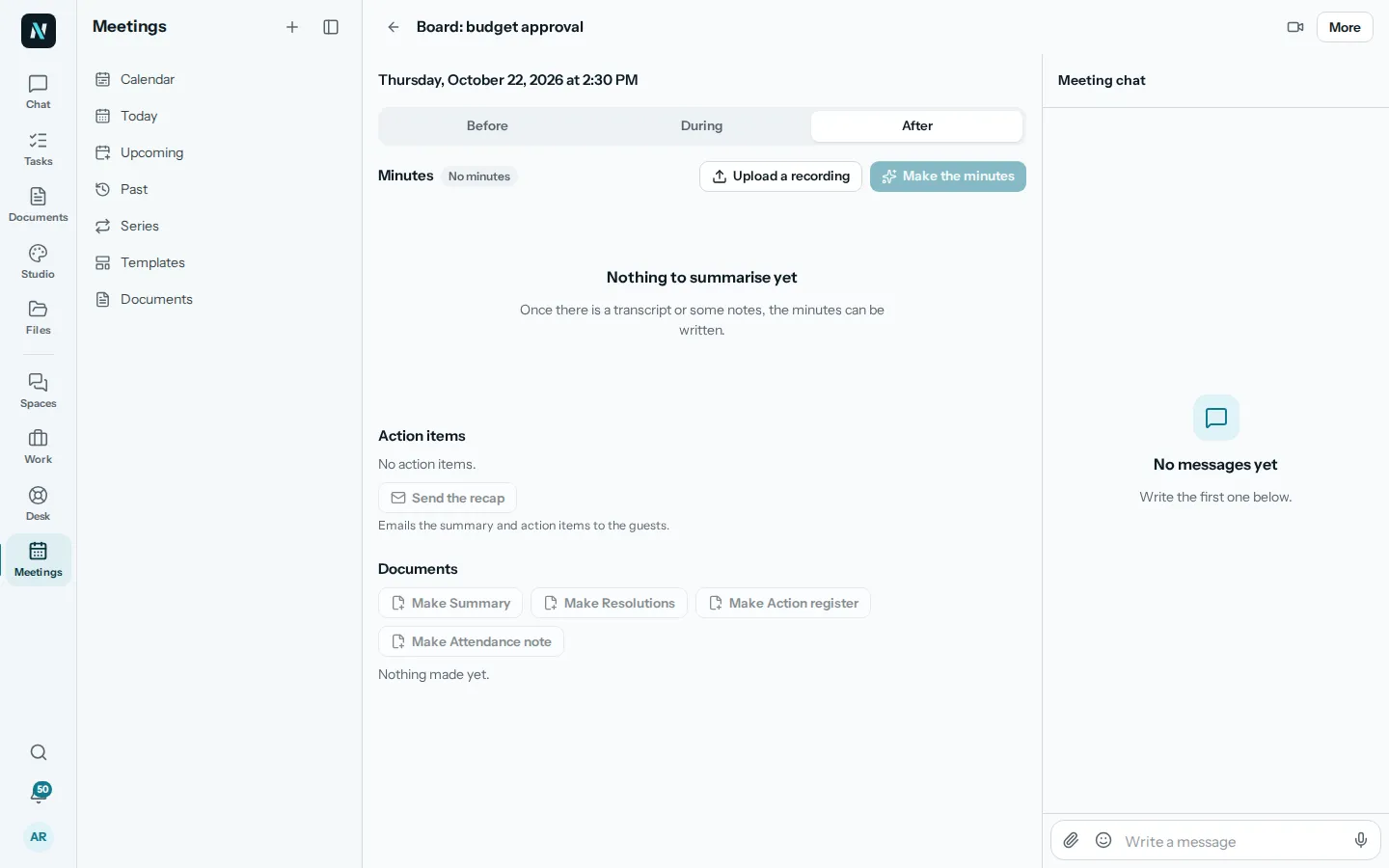
Minutes, action items and a recap.
Press Make the minutes and nerix writes them from the transcript and the notes. Send them for review, approve them, then Send the recap, which emails the summary and the action items to the guests. A meeting with nothing to summarise says so instead of inventing minutes.
Action items become real tasks in Work with an owner and a due date. Make a summary, resolutions, an action register or an attendance note, and export them as PDF or Word or send them for signing.
What nerix does here
- Write the minutes from the transcript and the notes.
- Pick out decisions and action items, with who and by when.
- Turn an uploaded recording into a transcript and minutes.
05Questions
Questions
Can nerix take notes in a meeting on its own?
With Notes on, a call is turned into a transcript and the minutes are made from it. When you start a call you choose Notes on, No notes or Private, so people know what is kept.
Can I use a recording from somewhere else?
Yes. Upload a recording to a meeting and nerix makes a transcript and minutes from it.
What happens to the action items?
They are filed as tasks in Work, each with an owner and a due date, so they show up where the person already looks.
Are the minutes final when nerix writes them?
No. They start as a draft. Send them for review, change anything, and approve them when they are right.
Can people outside the company join?
Yes. Invite them by email when you start a meeting. They get their own link to the video room and need no account.
Does it work with Google Meet or other video tools?
A meeting takes any video link. Add Meet video makes a link for you, and you can paste another one instead.
Can I ask for a meeting setup that is not here?
Yes. We build custom features and connectors for businesses. Tell us what you need on the Built for you page.
Need something this does not do? We build it into your workspace. Built for you
- 01ChatAsk across everything you own, with every sentence sourced.
- 02Team chatTeam chat in spaces and topics, where a message can become a task.
- 03Tasks and projectsTasks, cases and projects as a list, a board, a table or a calendar.
- 04Help deskA help desk with queues, macros, a portal and response targets.
- 05Built for youFeatures, connectors and workflows we build into your workspace.
- 06FeedbackFeedback: reviews, 360 feedback and surveys, sent by link, with anonymity that holds.
- 07ChecksAudit readiness from about 90 frameworks, checks on a plan, issues that become tasks and business reviews.
- 08DemosEverything you can try or watch: the example workspace, samples, templates and a free chat.
- 09PricingPlans and credits, in euros, monthly or yearly.
Learn more
Keep reading
Comparisons and alternatives5 min read
Appointment scheduling software compared
Appointment scheduling software compared for small teams: Calendly, Cal.com and nerix booking pages. Prices, free plan limits and what to check first.
Comparisons and alternatives7 min read
The best call transcription tools for small teams
Compare call transcription tools by price, free plan, minutes and languages: Otter, Fireflies, Rev, Happy Scribe and Sonix, checked on their own pages.
Comparisons and alternatives6 min read
The best AI meeting note takers compared
Compare the best tools for AI meeting notes: Otter, Fireflies, Fathom, Granola and nerix, with prices, free plan limits and the privacy questions to ask.