Product, Desk
A help desk that lives next to your team's work.
Customers write to you through a portal, a website widget or email. Your team works the requests from one queue, replies or leaves internal notes, and sees at a glance what is about to miss its target.
The free plan is one seat and 3,000 credits a month, never charged.
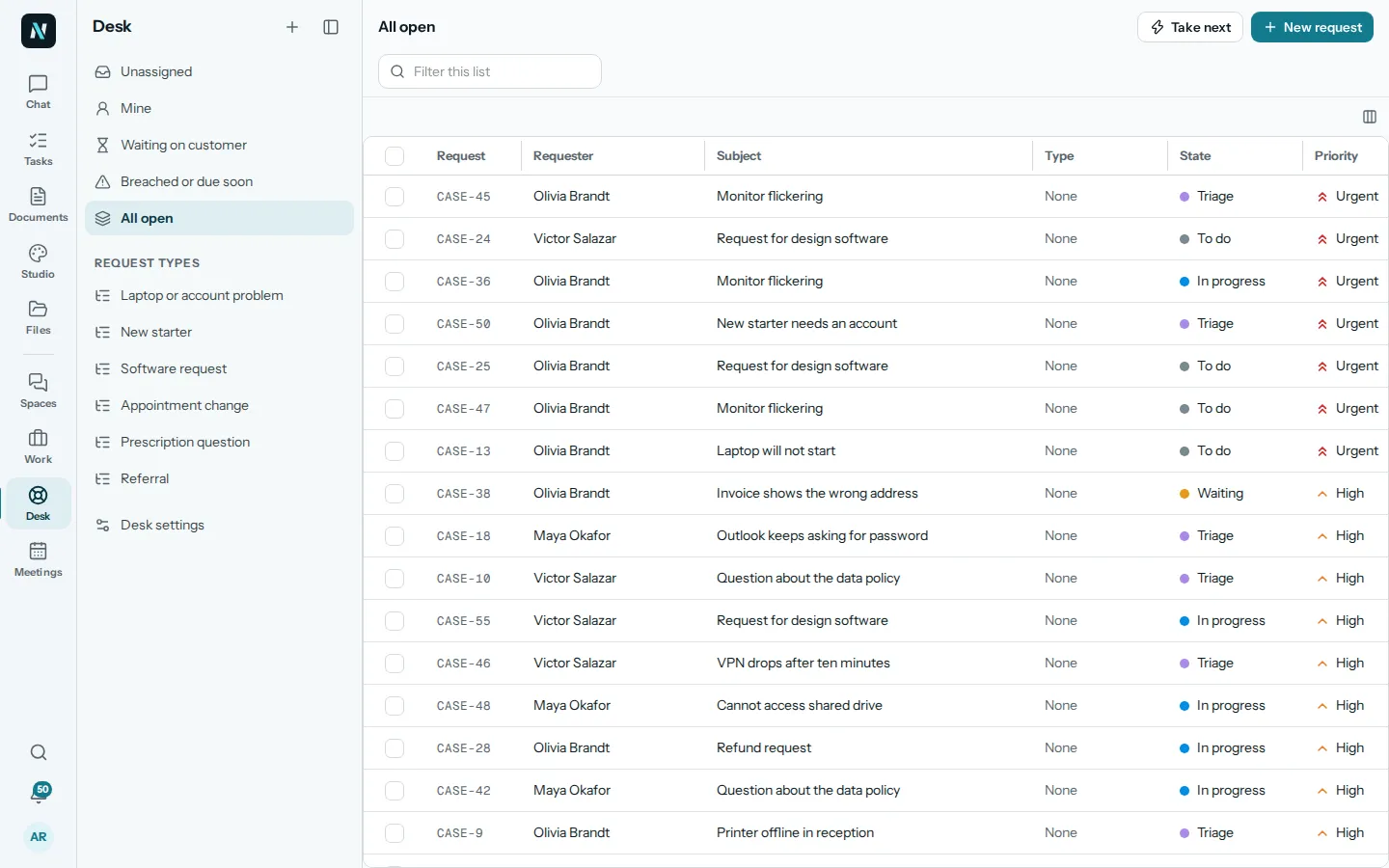
01The queue
Every request, sorted the way your team works.
Open Unassigned, Mine, Waiting on customer, Breached or due soon, or All open, and filter by request type. Take next hands you the next unassigned request, so nobody has to choose.
A request is created when a customer writes in, or by you with New request for someone who got in touch another way.
What nerix does here
- Ask what is waiting on a customer, or which requests are about to breach, and get the list with links.
- Ask about one request and what has happened on it.
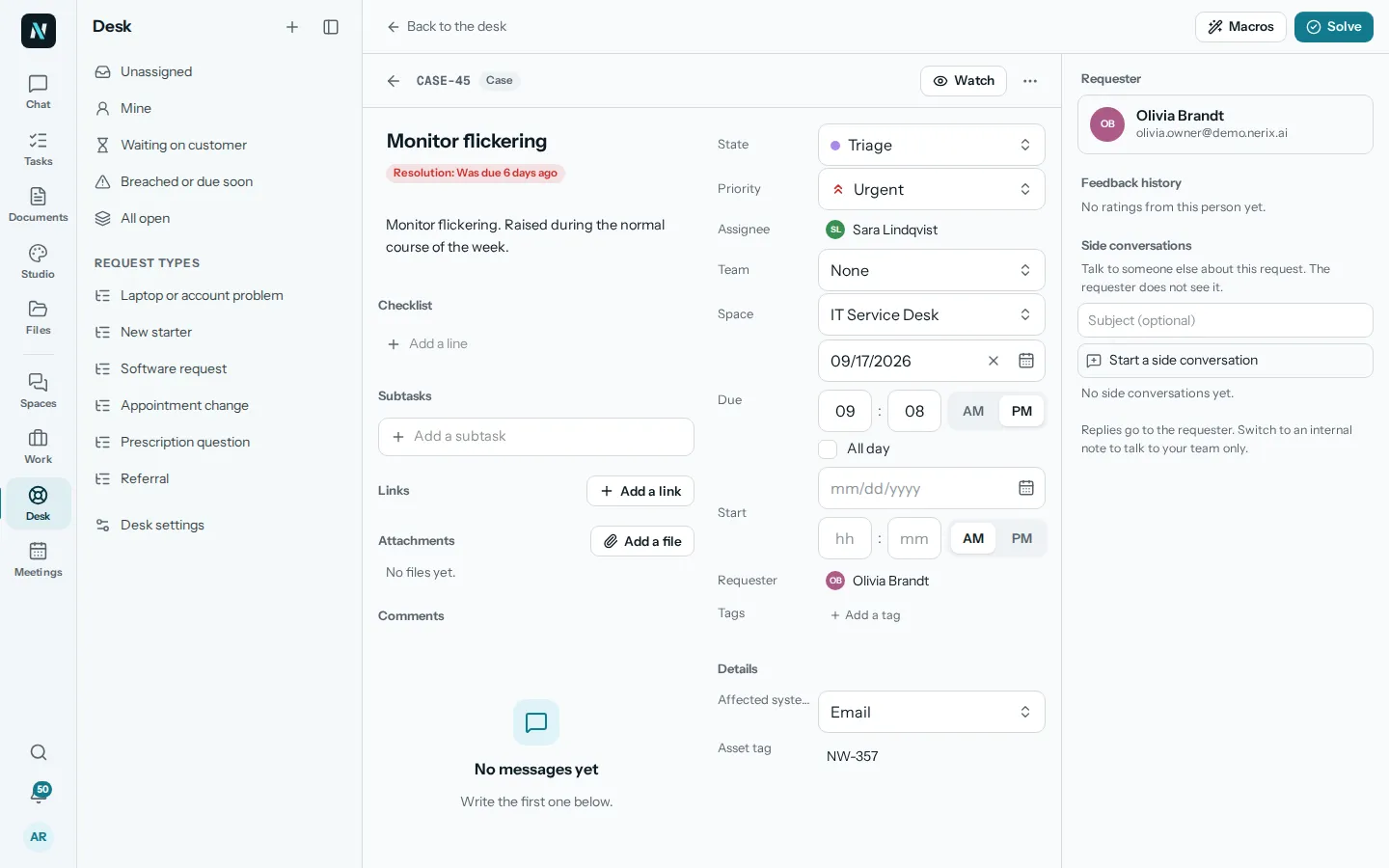
02One request
Reply to the customer, or talk to your team.
In a request, a Public reply goes to the person who asked and an Internal note stays with the team. Start a side conversation to ask a colleague without the requester seeing it. The state, priority, assignee, team and due date sit beside it, with a checklist and subtasks for the steps.
Response targets show as First reply and Solution, so a late one is marked. Solve closes it, and the requester is told.
What nerix does here
- Answer questions about a request without you scrolling through it.
- Ask who a request is assigned to and when it is due.
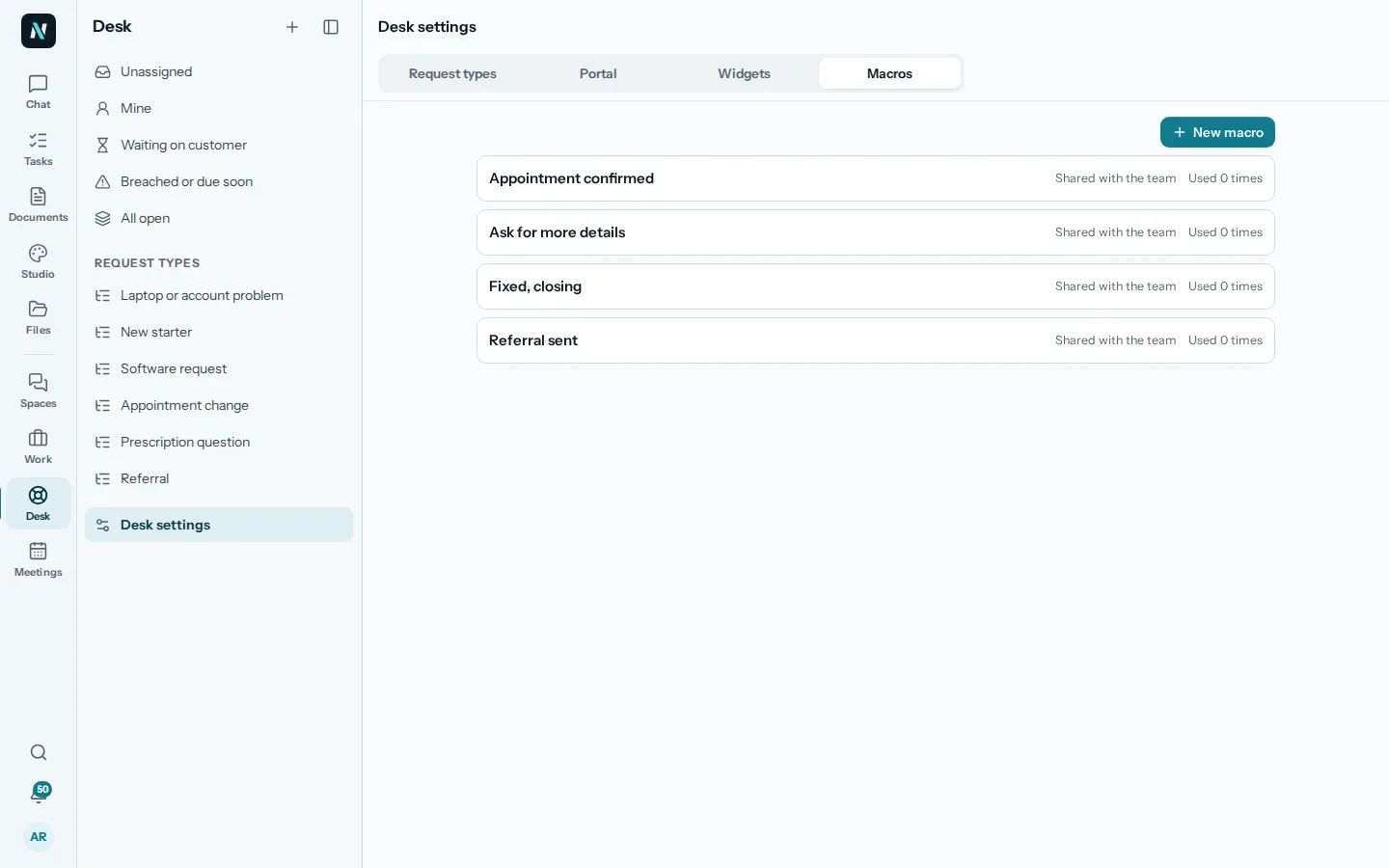
03Macros
The answers you give every day, ready to use.
A macro is a saved reply, shared with the team, such as Appointment confirmed, Ask for more details or Fixed, closing. Pick one in a request and change it before you send.
Desk settings hold the macros, the request types and the places customers reach you.
What nerix does here
- Ask the assistant in the chat for help with the words of a reply, then use it in the request.
- Everything it writes is yours to check before you send it.
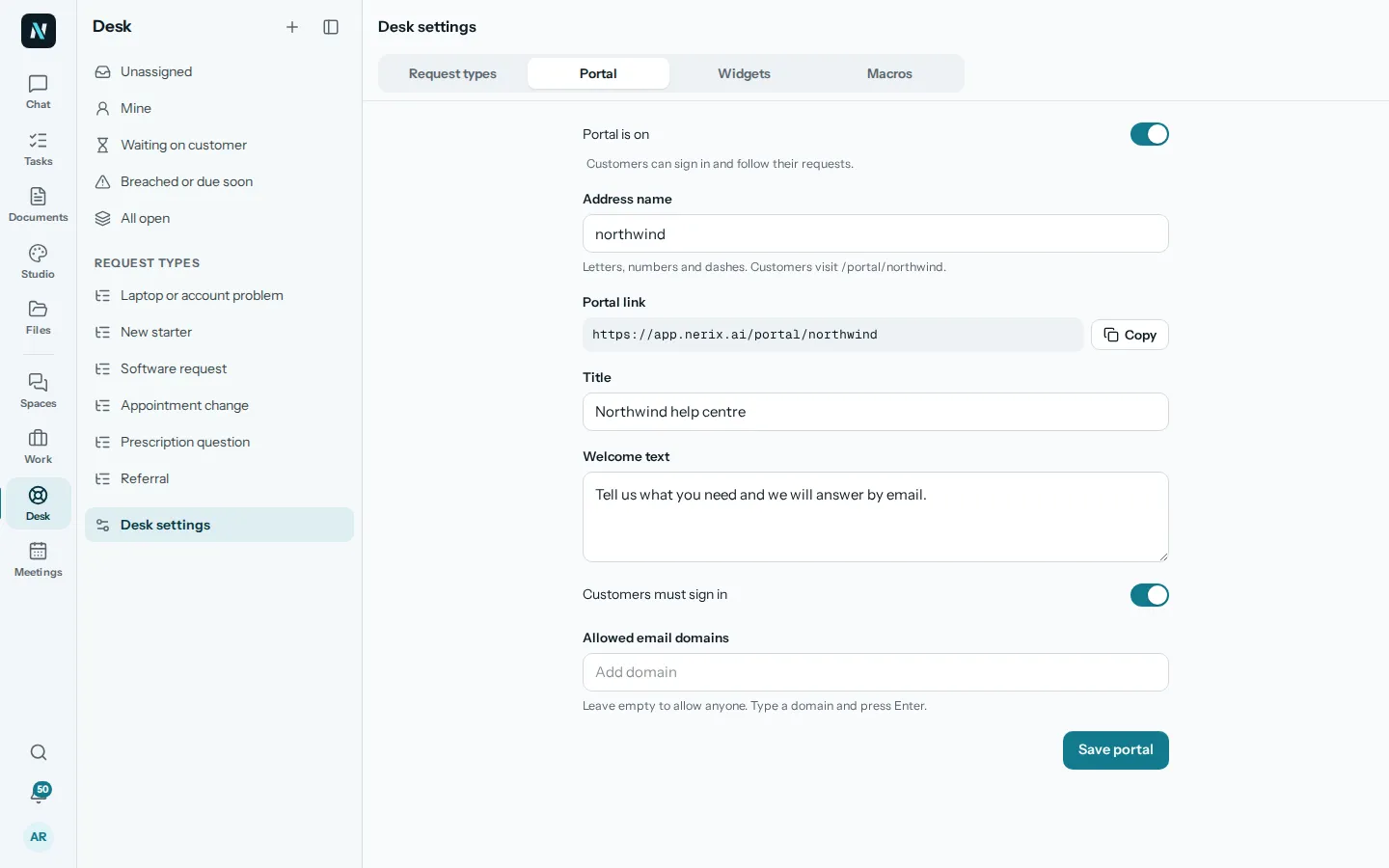
04Ways in
A portal and a widget for customers, and email.
Switch the portal on and give it an address name, a title and a welcome text. Customers sign in to follow their requests, and you can allow only certain email domains. Add a help widget to your own website. Email works too, when it is set up for you.
A request from any of them lands in the same queue, with the same targets.
What nerix does here
- Ask which requests came in today, whichever way they arrived.
- It sees only what you may see: a space that switches AI help off stays out of it.
05Questions
Questions
Is this a ticketing system?
Yes. Requests are tickets: they have a requester, a type, a state, a priority, an owner and response targets. They are also the same kind of item as your tasks, so the work and the support are in one place.
How do customers reach us?
Through a customer portal, a help widget on your website or email, when you set them up in Desk settings. You can also create a request yourself.
Can we keep notes that the customer cannot see?
Yes. An Internal note and a side conversation stay with the team. Only a Public reply reaches the requester.
Can we set how fast we must reply?
Response targets show a First reply and a Solution time on each request, and Breached or due soon lists the ones at risk.
Can we have different request types?
Yes. Request types are set in Desk settings, and each has its own list in the menu.
Can you add what our support team needs?
Yes. We build custom features, connectors and workflows for businesses. Tell us what you need on the Built for you page.
Need something this does not do? We build it into your workspace. Built for you
- 01ChatAsk across everything you own, with every sentence sourced.
- 02Team chatTeam chat in spaces and topics, where a message can become a task.
- 03Tasks and projectsTasks, cases and projects as a list, a board, a table or a calendar.
- 04MeetingsAgenda, live notes, minutes and action items, filed as tasks.
- 05Built for youFeatures, connectors and workflows we build into your workspace.
- 06FeedbackFeedback: reviews, 360 feedback and surveys, sent by link, with anonymity that holds.
- 07ChecksAudit readiness from about 90 frameworks, checks on a plan, issues that become tasks and business reviews.
- 08DemosEverything you can try or watch: the example workspace, samples, templates and a free chat.
- 09PricingPlans and credits, in euros, monthly or yearly.
Keep reading
Teamwork4 min read
Handle customer complaints and keep the customer
A calm routine for handling customer complaints in a small team: acknowledge fast, find out what happened, make it right and write replies that sound human.
Teamwork6 min read
How to run a help desk for a small team
How to run a help desk for two to ten people: one queue, clear owners, reply targets, saved replies and a few numbers worth watching.
Comparisons and alternatives5 min read
Zendesk alternatives for small business
Zendesk alternatives for small business compared: Freshdesk, Help Scout, Zoho Desk, HubSpot and nerix. Prices, free plans, strengths and limits.