Product, Feedback, Early access
Feedback and surveys that people answer.
Feedback covers what is often called employee evaluation: reviews, 360 feedback and surveys. Ask your people how they are doing, and your customers how you are doing. Pick a form, send it by link or email, and read the results with a written summary and a trend. Early access: it works today and we are still adding to it.
The free plan is one seat and 3,000 credits a month, never charged.
01Forms
Start from a form that already asks the right things.
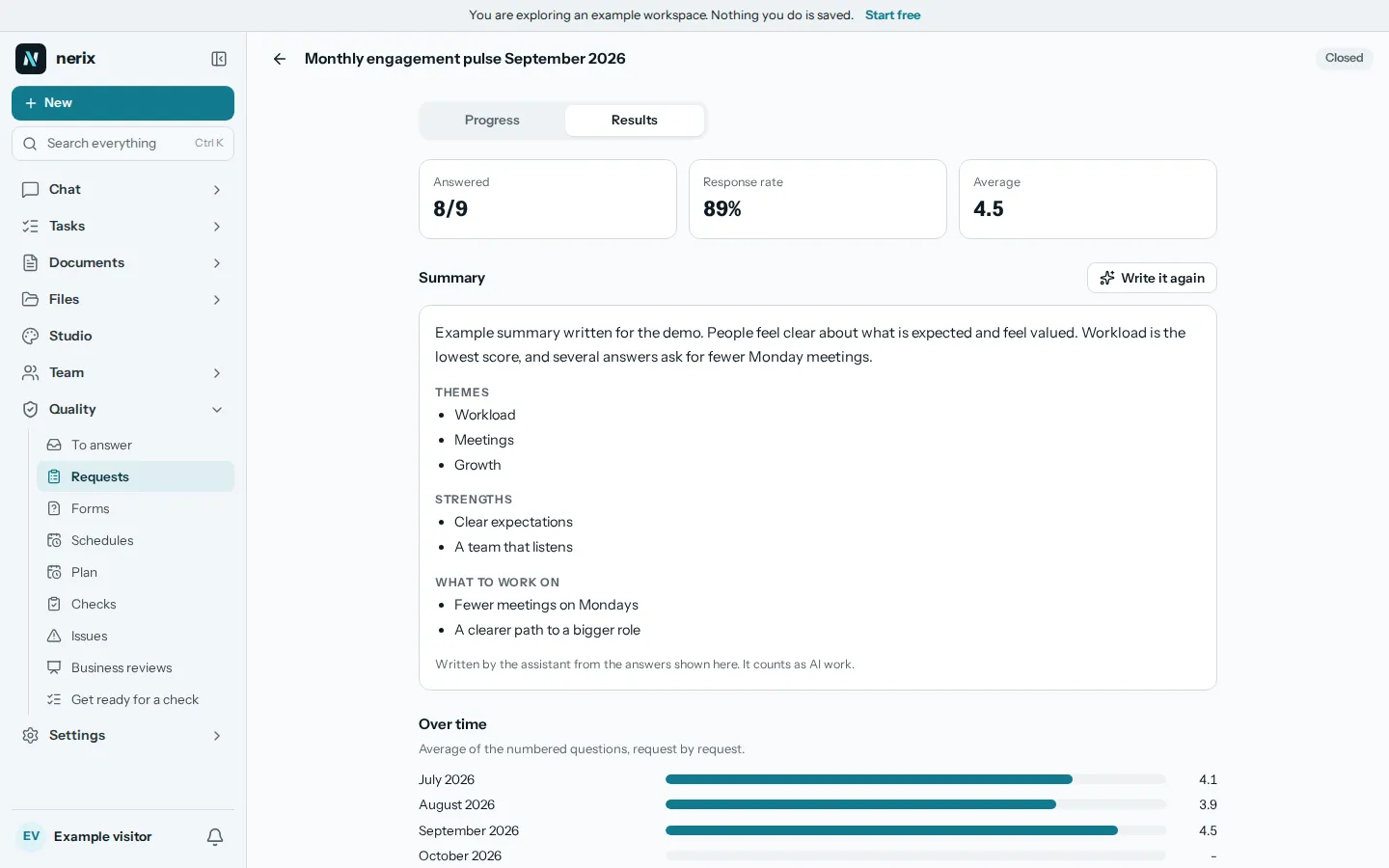
Twelve starting forms are ready: a yearly or quarterly performance review, 360 feedback, a self review, manager feedback, a weekly check in, a monthly one to one, a 30 60 90 day onboarding, a team pulse, meeting feedback, a customer survey and a project look back. Copy one and change any question.
Questions can be a rating from 1 to 5, a scale from 0 to 10, one choice, several choices, a short answer or a long one. Mark the ones that are required.
02Requests
Send it to the right people, by link or email.
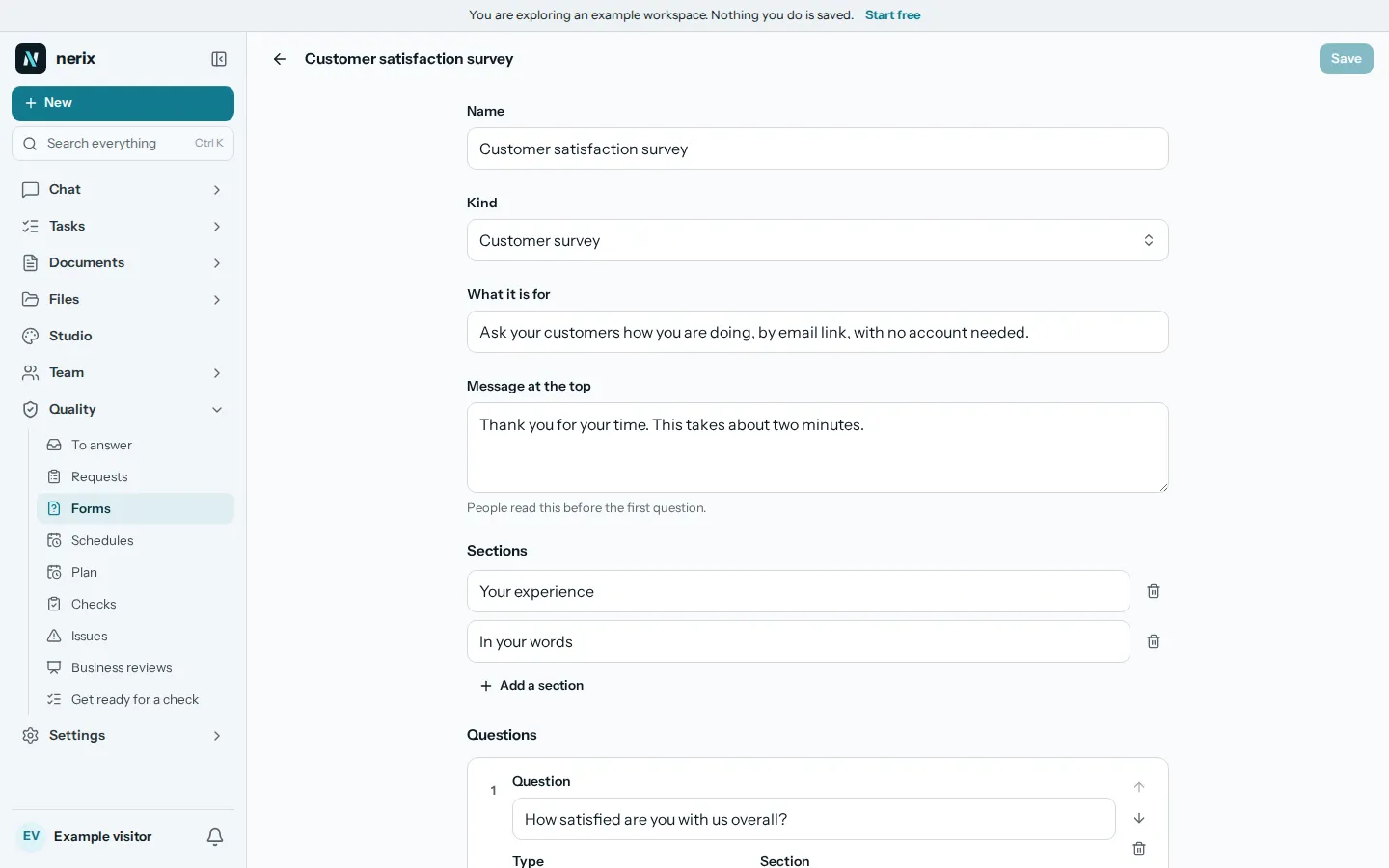
A request is a form sent to people. Choose who it is about and who answers: the person, their manager, peers and direct reports, a team or everyone. Use Ask for feedback to start one. Customers and other outside people can answer too, with no account.
Everyone gets their own link by email. Reminders go out before the request closes, and you can remind the ones who have not answered with one button.
03Anonymous
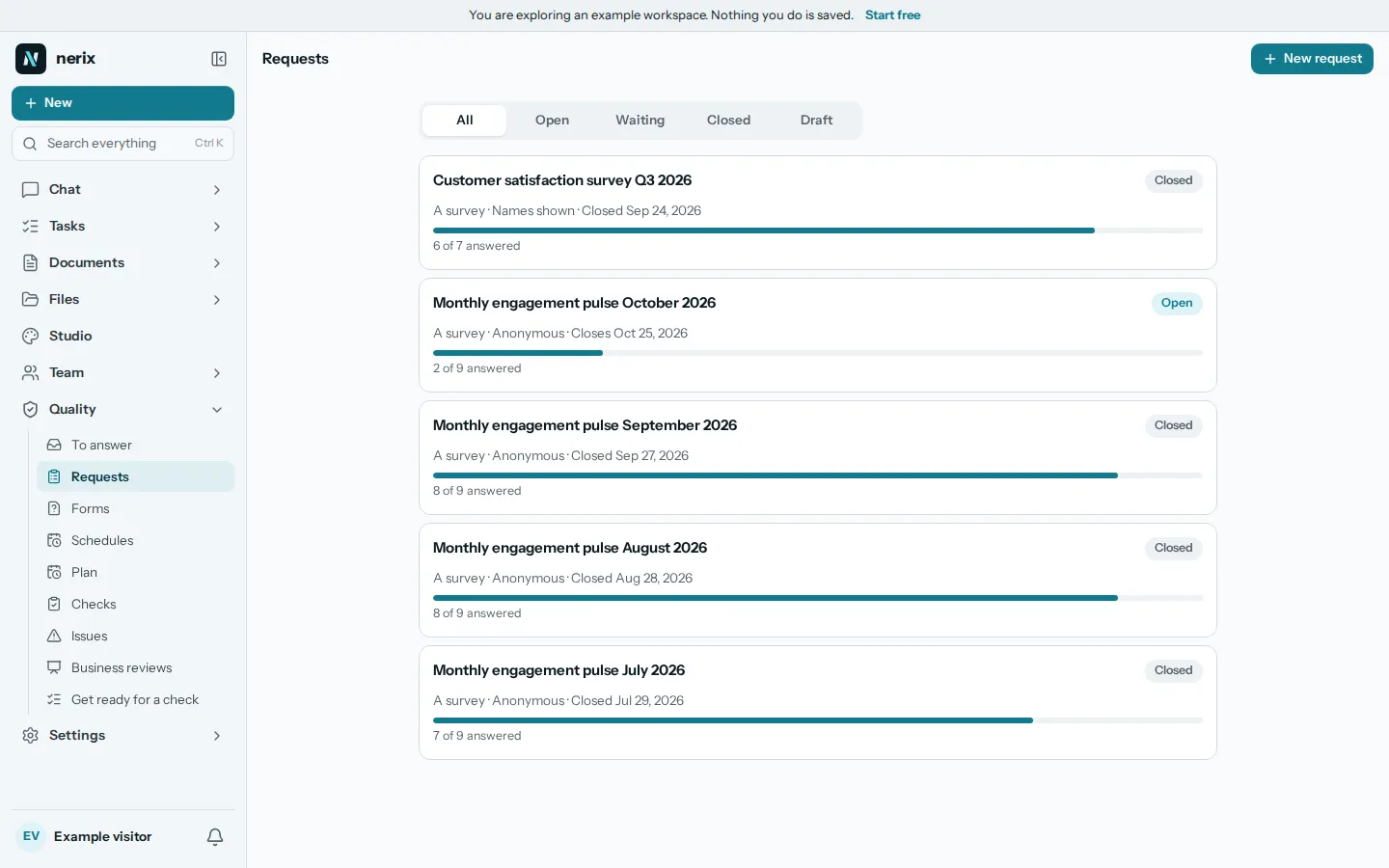
Anonymous means nobody can be found, even by subtraction.
In an anonymous request an answer is saved with no link to the person who gave it, and its time is cut to the day. Nothing is shown until at least three people have answered, so a manager cannot guess who wrote what.
When the answers are split by group, such as peers and reports, the split is shown only if every group is big enough. A named request shows who said what.
04Results
Averages, the written answers and a trend.
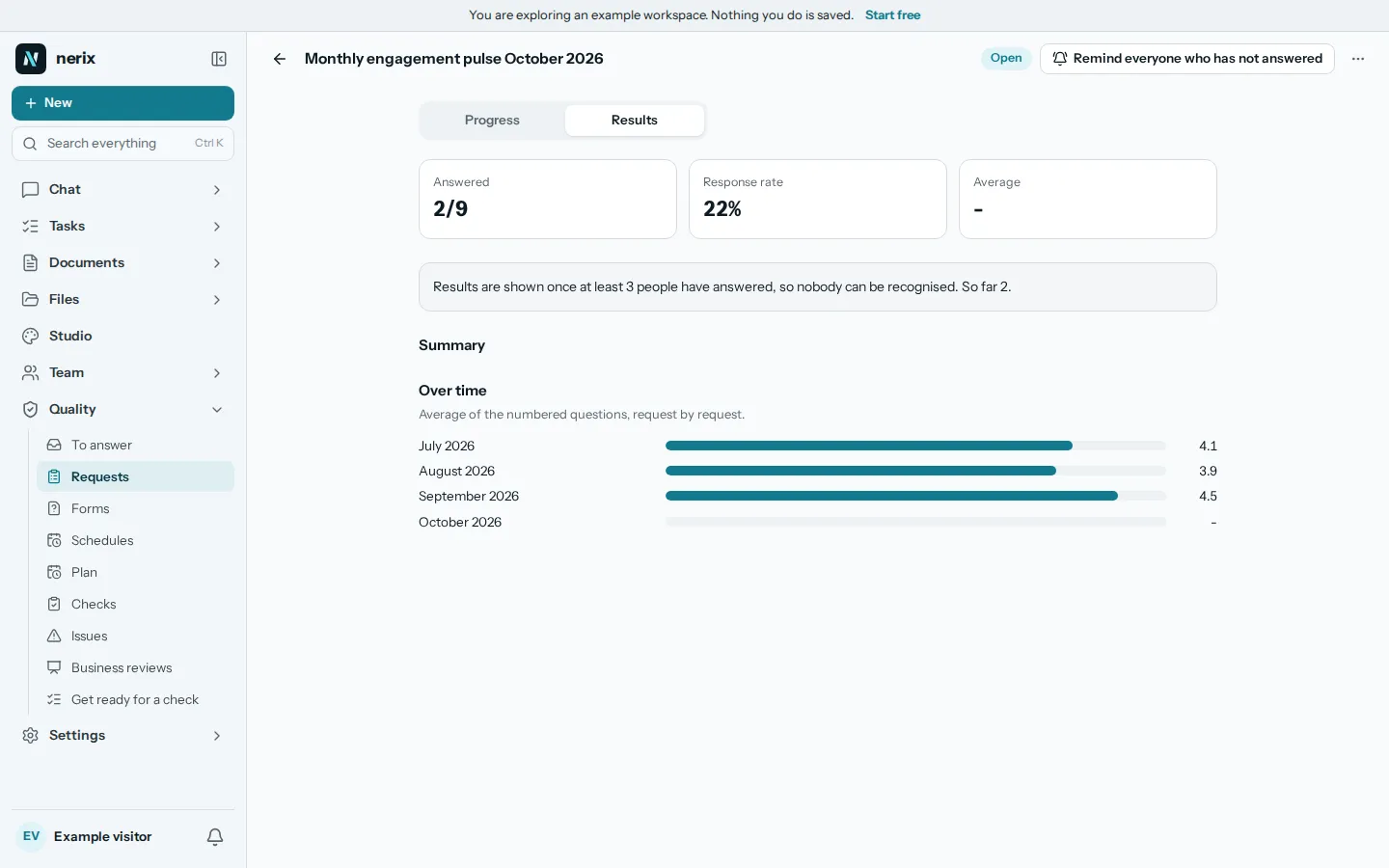
When a request is closed you see how many answered, the average and the answers to each question. Press Write a summary and nerix writes a short one: themes, strengths and what to work on. It says that it is AI work, and you can read the answers beside it.
The Over time view lines the requests of a schedule up, so you see whether the pulse is going up. For a review you can share the results with the person it is about once the request closes.
What nerix does here
- Write a short summary of the answers: themes, strengths and what to work on.
- Read only what the results page is allowed to show, so an anonymous request stays anonymous.
05Schedules
Set the rhythm once. The next request opens itself.
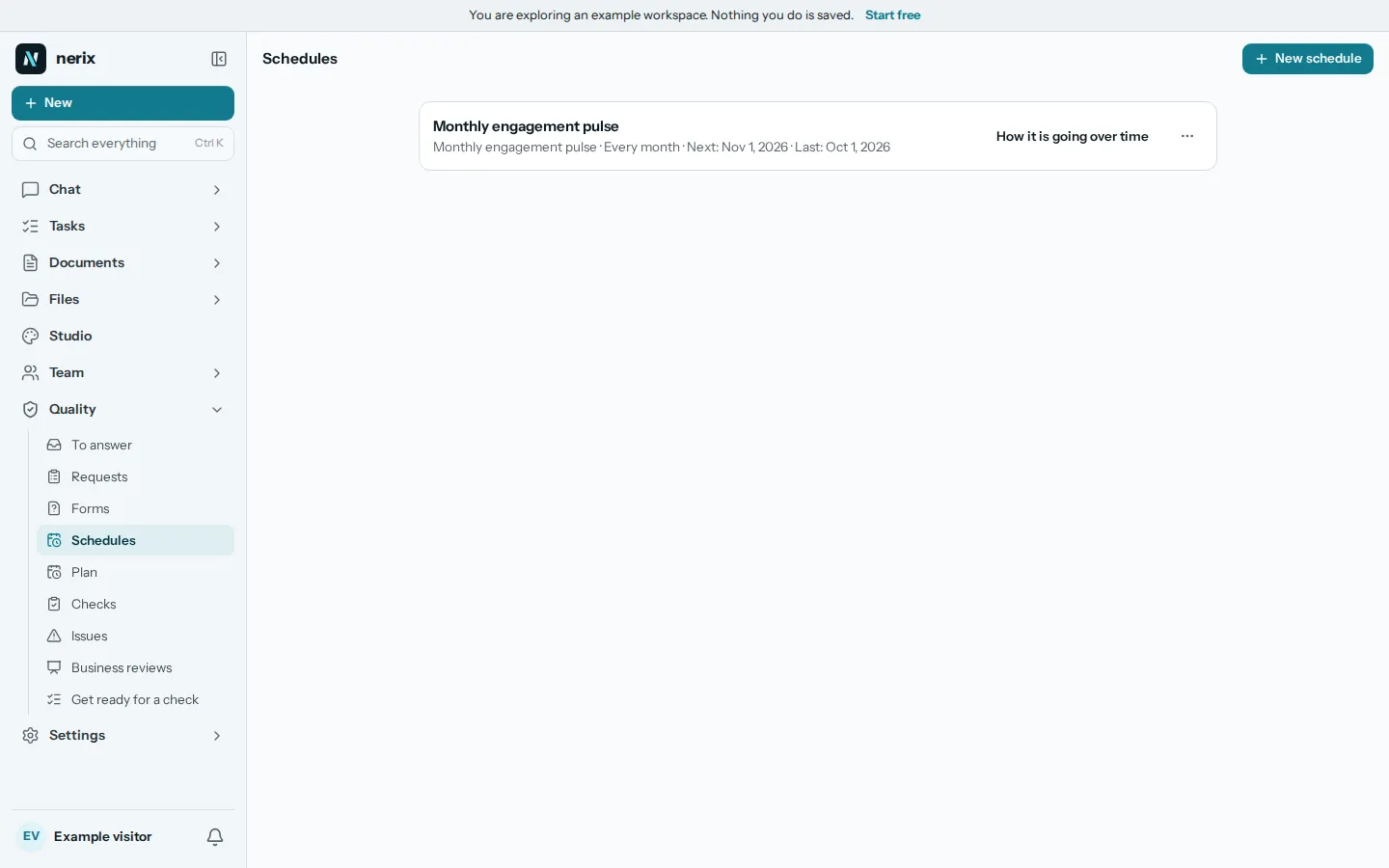
A schedule opens a new request every week, month, quarter, half year or year, with the same form, the same people and the same rules. Each request is named for its period, so the trend lines up.
Feedback on a meeting can go out when the meeting ends, to the people who were in it.
06Questions
Questions
Is this finished?
It is early access. It works in the app today, with forms, requests, anonymous answers, results, summaries and schedules. It is new, so some things are still missing. Tell us what you need.
Can people answer without an account?
Yes. Each person gets a link by email that opens the form. Customers and other outside people answer the same way.
How anonymous is anonymous?
The answer is saved with no link to the person, with its time cut to the day, and nothing is shown until three people have answered. Not even an administrator can see who wrote what.
Does the assistant read private answers?
A summary is made only when you ask for it, from the answers the results page may show. It says that it is AI work.
Can I use it for customers, not only for staff?
Yes. The customer survey form is sent to outside people by email and needs no account.
Can you build a form we need that is not here?
Yes. We build custom features and connectors for businesses. Tell us on the Built for you page.
Need something this does not do? We build it into your workspace. Built for you
- 01ChatAsk across everything you own, with every sentence sourced.
- 02Team chatTeam chat in spaces and topics, where a message can become a task.
- 03Tasks and projectsTasks, cases and projects as a list, a board, a table or a calendar.
- 04Help deskA help desk with queues, macros, a portal and response targets.
- 05MeetingsAgenda, live notes, minutes and action items, filed as tasks.
- 06Built for youFeatures, connectors and workflows we build into your workspace.
- 07ChecksAudit readiness from about 90 frameworks, checks on a plan, issues that become tasks and business reviews.
- 08DemosEverything you can try or watch: the example workspace, samples, templates and a free chat.
- 09PricingPlans and credits, in euros, monthly or yearly.
Learn more
Learn more
Keep reading
Comparisons and alternatives5 min read
The best HR software for a small business
What HR software for small business costs and does: BambooHR, Factorial, Humaans and Timetastic compared on price, time off, hiring and payroll.
People and evaluations6 min read
How to write an employee warning letter fairly
How to write an employee warning letter that is fair and clear: what to include, how to word it, the steps before and after, and what to avoid.
People and evaluations5 min read
How to run a performance review people trust
A practical way to run fair, useful performance reviews in a small team: what to ask, how to collect it, how to talk about it and what to do afterwards.