Product, Chat
Chat with your documents, and see how every answer was made.
Ask across everything you own. Answers carry their sources, a status line names each tool while nerix uses it, documents open beside the chat instead of filling it, and anything that would leave your organisation asks you first.
The free plan is one seat and 3,000 credits a month, never charged.
You: What is our liability cap with Acme Industrial?
Your aggregate liability to Acme Industrial is capped at the total fees paid in the twelve months before a claim. The cap does not apply to gross negligence or wilful misconduct. The agreement auto-renews unless either party gives 60 days' notice.
Sources
Page 11 of 34
PDF14. Limitation of liability
14.1 Except for liability arising from gross negligence or wilful misconduct, each party's aggregate liability shall not exceed the total fees paid in the twelve (12) months preceding the claim.
3. Term and renewal
3.2 Auto-renews unless either party gives 60 days' notice before the anniversary date.
The highlighted words are the passage the answer quotes.
Answered by Mistral Large, hosted in the EU83 credits
01Citations
Citations, down to the page.
Every claim points to a document and a page, with the passage it quotes. You open the source and check it yourself.
Turn on “Answer only from your documents” and the assistant refuses rather than filling a gap from what a model learned in training. A confident guess about a contract is worse than no answer.
nerix still makes mistakes. The product says so on every chat: check the sources before you rely on an answer.
Question: What does our NDA with Helios Ventures say about IP?
Your documents don't cover an NDA with Helios Ventures, so I won't guess. Upload the agreement, or ask me to search the web. I'll ask before anything leaves your organisation.
02Documents
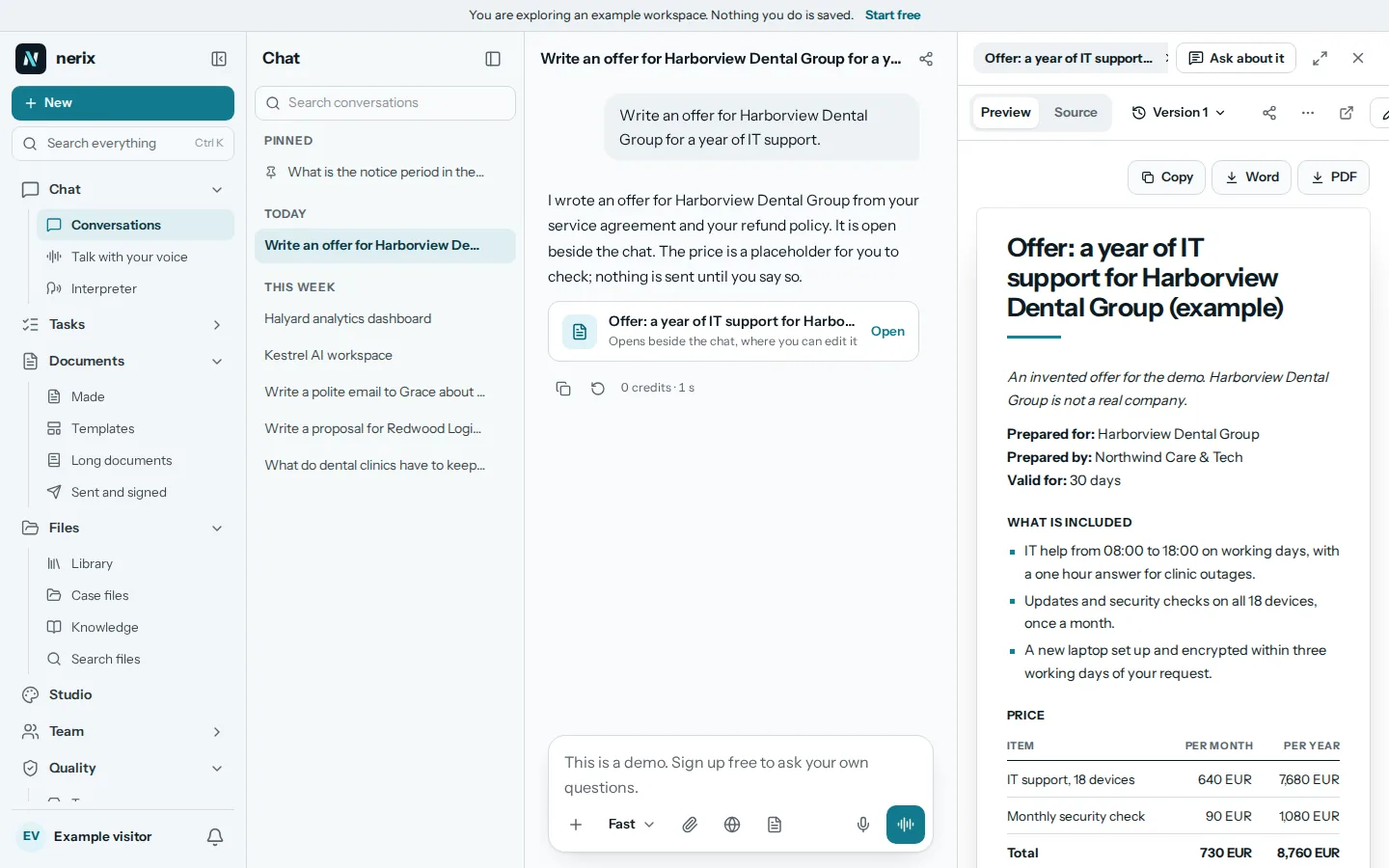
Offers and documents open beside the chat.
Ask for an offer, a quote, a letter or a contract in your own language, and it is written in the panel beside the chat, never as a wall of chat text. An offer without a client is drafted from the offer template, and Add the client writes it again for one.
Ask for a picture, a photo, an illustration or a logo and it appears beside the chat too, with Download, Insert into the open document and Make variations. Charts and diagrams of your own numbers are drawn from the figures, never invented as a picture. Ask for a web page or a landing page and it opens as a page you can preview, with the code and a download of the file.
03Agents
A team, not a monolith.
A coordinator hands work to a librarian, an analyst, a reviewer, a researcher and a drafter. Delegation is declared: an agent can only call the agents on its list.
Each one runs on a class of model matched to its job, so a quick lookup does not use the most expensive model.
While it works, one line under the answer names the step and the tool, such as Searching your documents or Writing the offer, and stays while the text appears. The Working box lists each tool with what it worked on. Send another message meanwhile and it waits its turn instead of stopping the answer.
04Control
Rules, skills and permissions you write.
A rule always applies. A skill applies when it fits. An organisation can enforce a rule so a member cannot switch it off, and the server refuses, not only the screen.
Every tool the assistant can use carries a policy: allow, ask or deny. Anything that would send data outside your organisation asks first by default.
Quote the clause exactly as written, then explain it in one sentence.
library:read_documentStays insideAllowresearch:web_searchLeaves your organisationAsk firstauthoring:generate_documentStays insideAllow
05Your answers
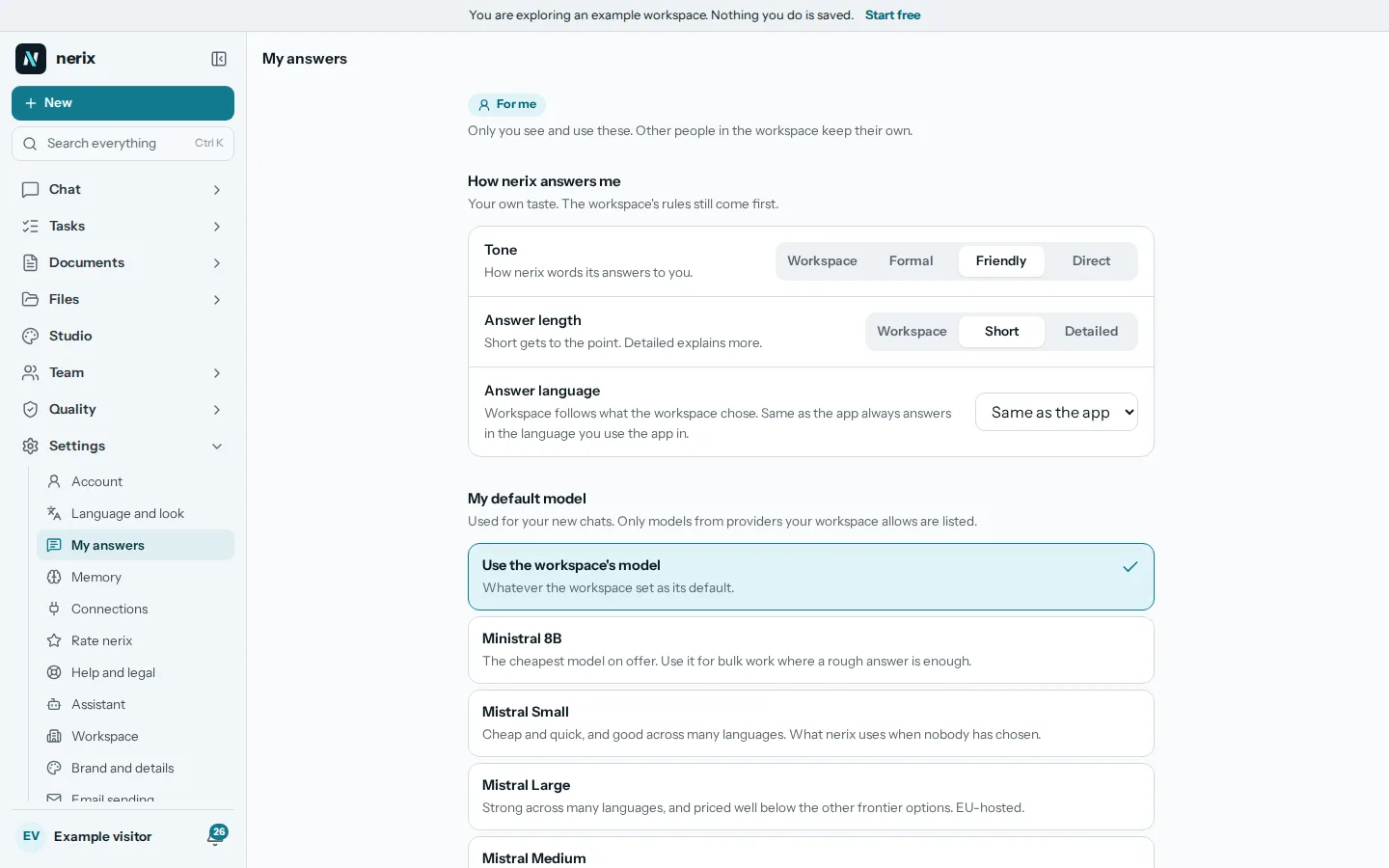
Answers set to how you work.
Under My answers you choose how nerix answers you: the tone, the length, the language, your own default model from the providers your workspace allows, and rules of your own. Only you see them.
Workspace rules come first. Your rules can only narrow them, and a rule that contradicts a workspace rule is refused with the rule it breaks. A quiet line under an answer says which rules shaped it.
06Providers
EU only by default, other providers when you choose them.
A new workspace is EU only: its documents and questions go only to AI providers that run in the EU, today Mistral, hosted in France. An owner or admin can switch on OpenAI, Anthropic, Google or DeepSeek, each shown with its country and cautions, and go back to EU only at any time.
DeepSeek's own API processes data in China, and we print that where you choose it. A provider that is switched off receives nothing from the workspace.
In a conversation, Model lets you choose how good the answer should be and where your text is processed, or pick an exact model.
Read the security page- MistralFrance, EU hostingOn by default
- OpenAIUnited StatesWhen you choose it
- AnthropicSet by the providerWhen you choose it
- GoogleSet by the providerWhen you choose it
- DeepSeekChina, first-party APICaution
07On a phone
The same chat in your pocket.
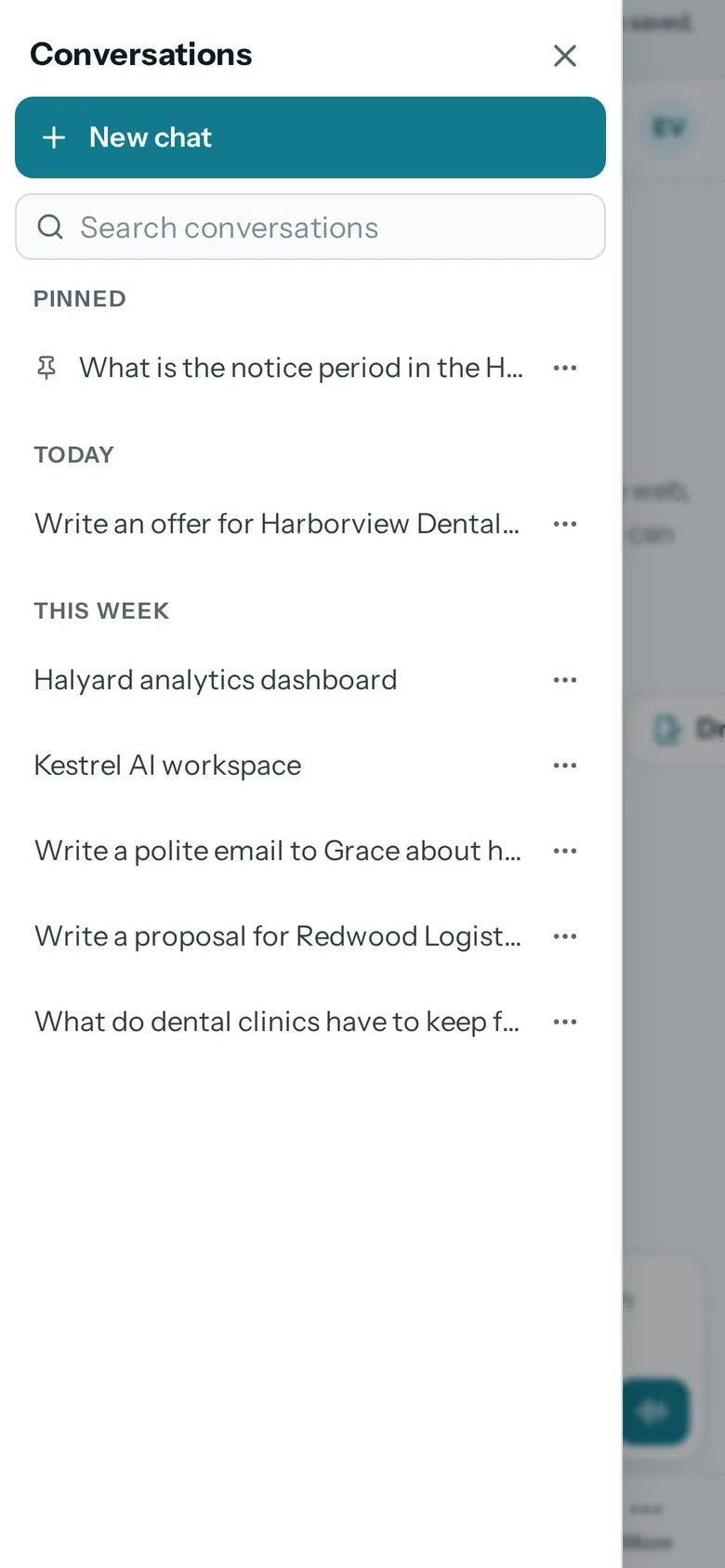
On a phone, the button at the start of the top bar, or a swipe in from the edge, opens your conversations: New chat, search, and Pinned, Today, This week and Earlier. Press and hold a conversation to rename, pin, archive or delete it.
Sheets and menus open from the bottom and close when you drag them down, like an app.
- 01Library and searchYour files read, given a passport, connected and searchable two ways.
- 02The SheetDocuments, procedures and handbooks with their figures, every version kept.
- 03WebsitesWebsites and web apps from a conversation, ready to rank.
- 04Tasks and projectsTasks, cases and projects as a list, a board, a table or a calendar.
- 05Long tasksResearch, documents and websites done in the background, inside a credit limit.
- 06Built for youFeatures, connectors and workflows we build into your workspace.
- 07InterpreterTwo people, two languages, one phone that speaks for both. Or just talk to nerix.
- 08Email draftsEmails and replies written for you, changed in one click, sent when you say.
- 09DemosEverything you can try or watch: the example workspace, samples, templates and a free chat.
- 010PricingPlans and credits, in euros, monthly or yearly.
Learn more
Learn more
Templates for this
Keep reading
AI, data and websites5 min read
AI assistants with memory compared
An AI assistant with memory remembers your role and preferences between chats. How ChatGPT, Claude, Gemini and nerix handle memory, and the controls to check.
Comparisons and alternatives7 min read
The best call transcription tools for small teams
Compare call transcription tools by price, free plan, minutes and languages: Otter, Fireflies, Rev, Happy Scribe and Sonix, checked on their own pages.
Documents and templates6 min read
How to write a contract termination letter
How to write a contract termination letter: check the notice terms, what to state, how to send it so you can prove it, and mistakes that void the notice.