Skip to content

Employee onboarding checklist

Welcome a new hire step by step, from the signed offer to the 90-day review.

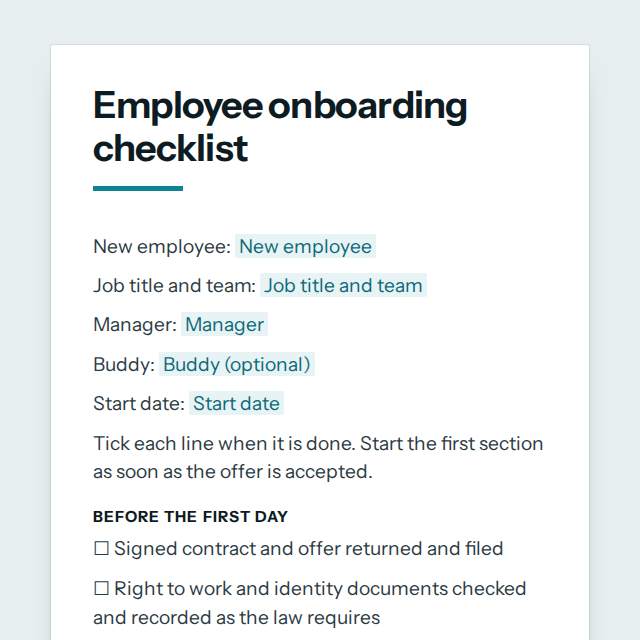
Employee onboarding checklist template, first page

Fill it in and preview

Employee onboarding checklist

New employee: Priya Nair
Job title and team: Customer Support Agent, Service Desk
Manager: Tomasz Kowalski
Buddy: Lucia Fernandez
Start date: 4 January 2027

Tick each line when it is done. Start the first section as soon as the offer is accepted.

Before the first day

☐ Signed contract and offer returned and filed
☐ Right to work and identity documents checked and recorded as the law requires
☐ Bank details and tax forms collected through a secure route
☐ Equipment ordered: laptop, phone, badge, keys and any uniform
☐ Email, chat and software accounts created with the right access
☐ Workspace or remote setup prepared
☐ Welcome message sent with the start time, place, dress code and who to ask for
☐ Team told who is joining and when
☐ Job description and any probation terms shared in writing
☐ Personal details and emergency contact form completed
☐ Any access, accessibility or working pattern needs asked about and arranged
☐ Buddy or mentor briefed on their role before day one
☐ Plan for the first week sent to the new employee

First day

☐ Welcome by the manager and a tour of the workplace or tools
☐ Equipment handed over and signed for
☐ First login done and passwords set up with multi-factor sign-in
☐ Health and safety, fire exits and first aid explained
☐ Company policies shared: conduct, data protection, expenses, time off
☐ Lunch or a coffee with the team
☐ Buddy introduced and a first week plan agreed
☐ Mission, values, structure and who does what explained
☐ Confidentiality and acceptable use rules read and acknowledged
☐ Security basics explained: lock screen, phishing, reporting an incident

First week

☐ Role, goals and how success is measured explained
☐ Key colleagues and other teams met
☐ Required system and product training booked
☐ Payroll, benefits and time off set up and explained
☐ First small task given with a clear deadline
☐ End of week check in held with the manager
☐ Expenses, travel booking and how to request leave shown

First 30 days

☐ Compulsory training completed and recorded
☐ Customers, suppliers or partners introduced where relevant
☐ Goals for the first 90 days written down and agreed
☐ Feedback gathered from the new employee on the onboarding so far
☐ Questions about tools, access or workload answered
☐ Regular one to one meetings in the calendar
☐ Written feedback given on the first month's work

First 90 days

☐ Probation or 90 day review meeting held
☐ Strengths, gaps and development needs recorded
☐ Training plan for the next six months agreed
☐ Probation outcome confirmed in writing where the contract has one
☐ Onboarding feedback passed to HR to improve the process

Notes

Items to follow up, who is responsible and by when.

Templates are a careful starting point, not legal advice. Where the law matters, check what applies where you are.

People and HR

What this template is for

An employee onboarding checklist for HR and managers: contract, accounts, equipment, first week, training, introductions and 90-day reviews. Free to fill in.

It is free to fill in online, needs no account, and downloads as a Word document or a PDF. See all People and HR templates All free checklist templates

People and HR

What you fill in

The form asks for 6 details. The document fills itself in as you type.

  • New employee

    For example: Priya Nair

  • Job title and team

    For example: Customer Support Agent, Service Desk

  • Manager

    For example: Tomasz Kowalski

  • Buddy (optional)optional

    For example: Lucia Fernandez

  • Start date

    For example: 4 January 2027

  • Notes (optional)optional

    For example: Items to follow up, who is responsible and by when.

People and HR

What is inside

The parts of this document, in order.

  1. 1Before the first day
  2. 2First day
  3. 3First week
  4. 4First 30 days
  5. 5First 90 days
  6. 6Notes

Templates

How it works

  1. 01

    Fill in

    Type your details in the form. The document fills itself in as you type; click any gap to jump to its field.

  2. 02

    Check

    Read it through. Gaps you have not filled stay marked, so nothing goes out half done.

  3. 03

    Download

    Save it as a Word document to edit further, or as a PDF to send or print.

Make it yours with AI

Open it in the chat and ask for changes: shorter, firmer, another situation, another language.

Adapt it with nerix

People and HR

Questions people ask

What details does this template ask for?

The form asks for 6 details, starting with New employee, Job title and team, Manager, Start date. 2 more are optional.

Can I download this template as Word or PDF?

Yes. When you have filled in the form, save it as a Word document to keep editing, or as a PDF to send or print. It is free and needs no account.

Is what I type sent anywhere?

No. What you type stays in your browser while you fill in the document. It only goes to nerix if you choose to open the template in the chat.

What should I check before I use this template?

What you must collect, record and tell a new employee differs by country and contract. Check local employment, tax and data protection rules before you rely on this list.

Are these HR templates free?

Most are. Fill in and download them for free as Word or PDF, with no account. A few longer documents are premium: free to fill in, paid once to download, and marked with their price.

Do the HR templates follow my country's employment law?

They assume no country's law. Employment rules differ a lot, so each template says where to check local requirements before you use it.

Can a small team use them too?

Yes. They work for a team of two or a company of two thousand, and you can cut any section you do not need in the Word version.