Product, nerix for Chrome
An AI assistant in Chrome that knows your own work.
Open the side panel on any website. Ask about the page, a video or a PDF, use your library and your nerix tools, get help where you write, and fill forms from your documents. Anything that changes something asks you first.
The free plan is one seat and 3,000 credits a month, never charged.
Chrome on a computer. Edge works from the same package once it is listed there. Needs a nerix account; the free plan is enough to start.
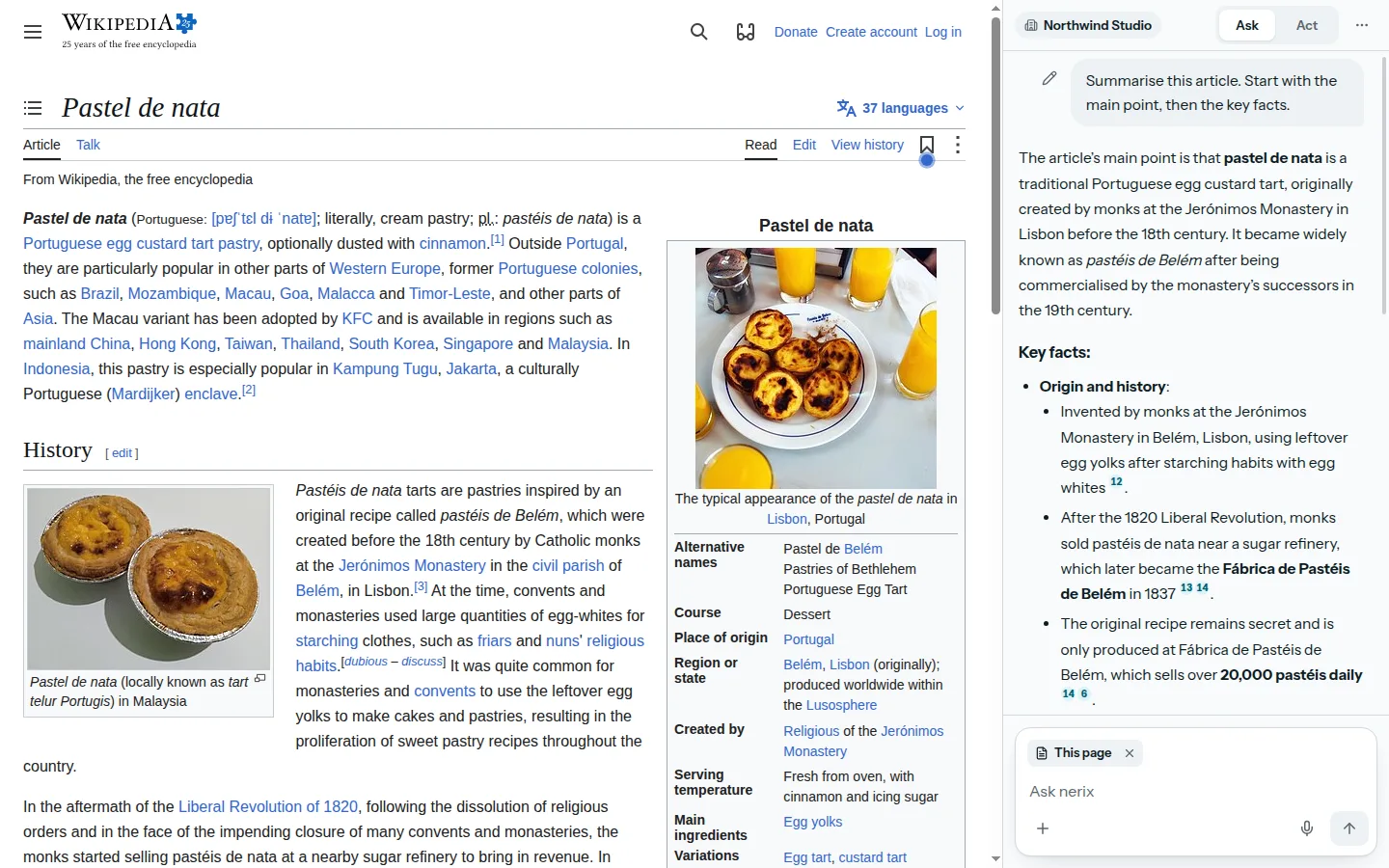
01Any website
Ask about the page you are on.
Ask, summarise, explain or translate the page, a YouTube video or a PDF, or only the part you selected. Free suggestions that fit the page are one press away, tables come out as real tables, and you can compare several tabs in one question.
nerix reads a page only when you ask it to, and only on a site you have allowed. Nothing is read in the background. Ask by typing or by voice, and open nerix from any page with Alt+N (Control+Shift+N on a Mac).
02Your knowledge
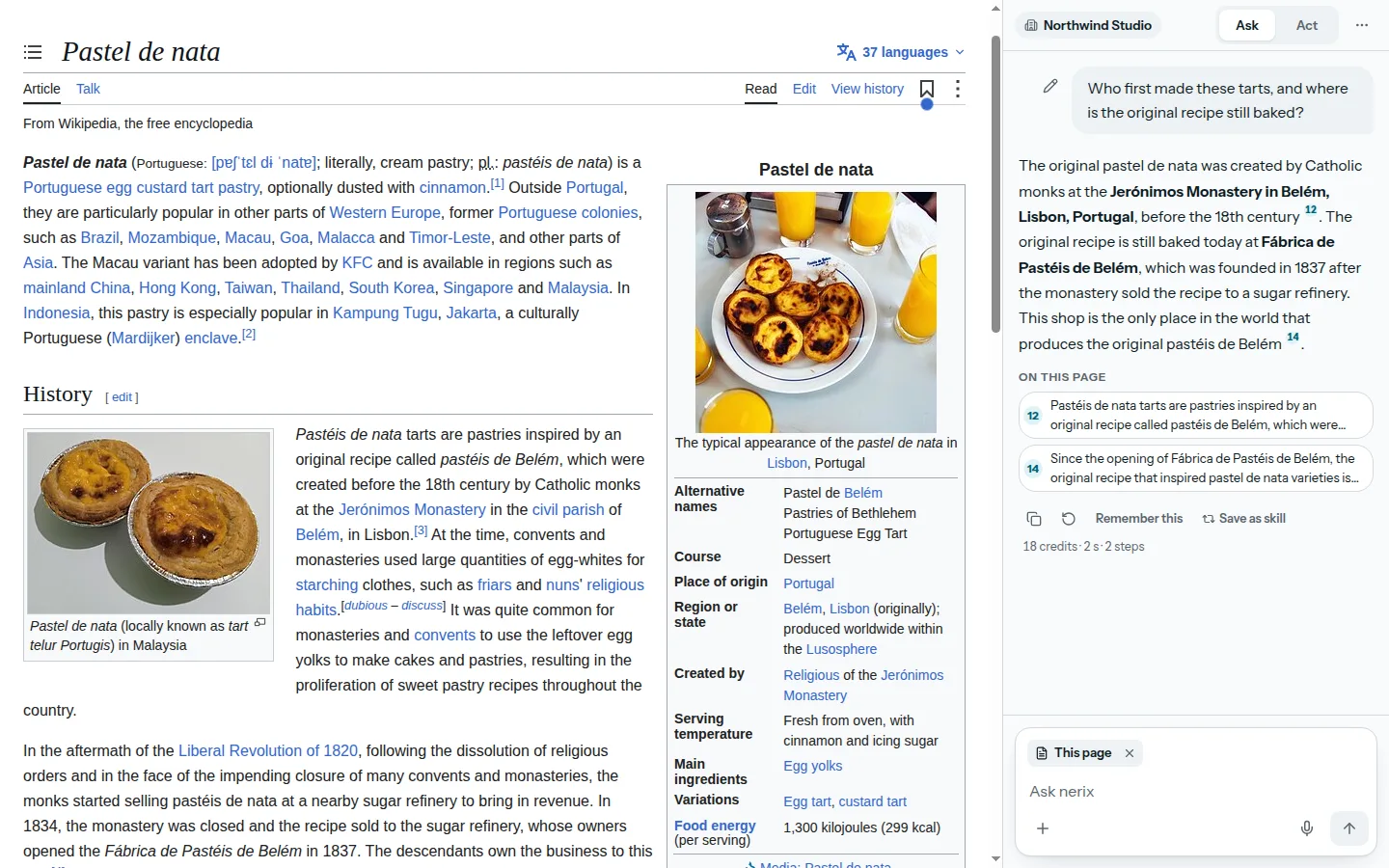
Your library comes onto the page.
Ask with your library and the answer cites both the page and your own files, so "does this contract match ours?" has a sourced answer. Find anything in your library from the page title or your selection, and keep a page, a selection or a table in the library with its address and the time.
Your memory and your rules apply. Nothing is learned from your browsing.
03Your tools
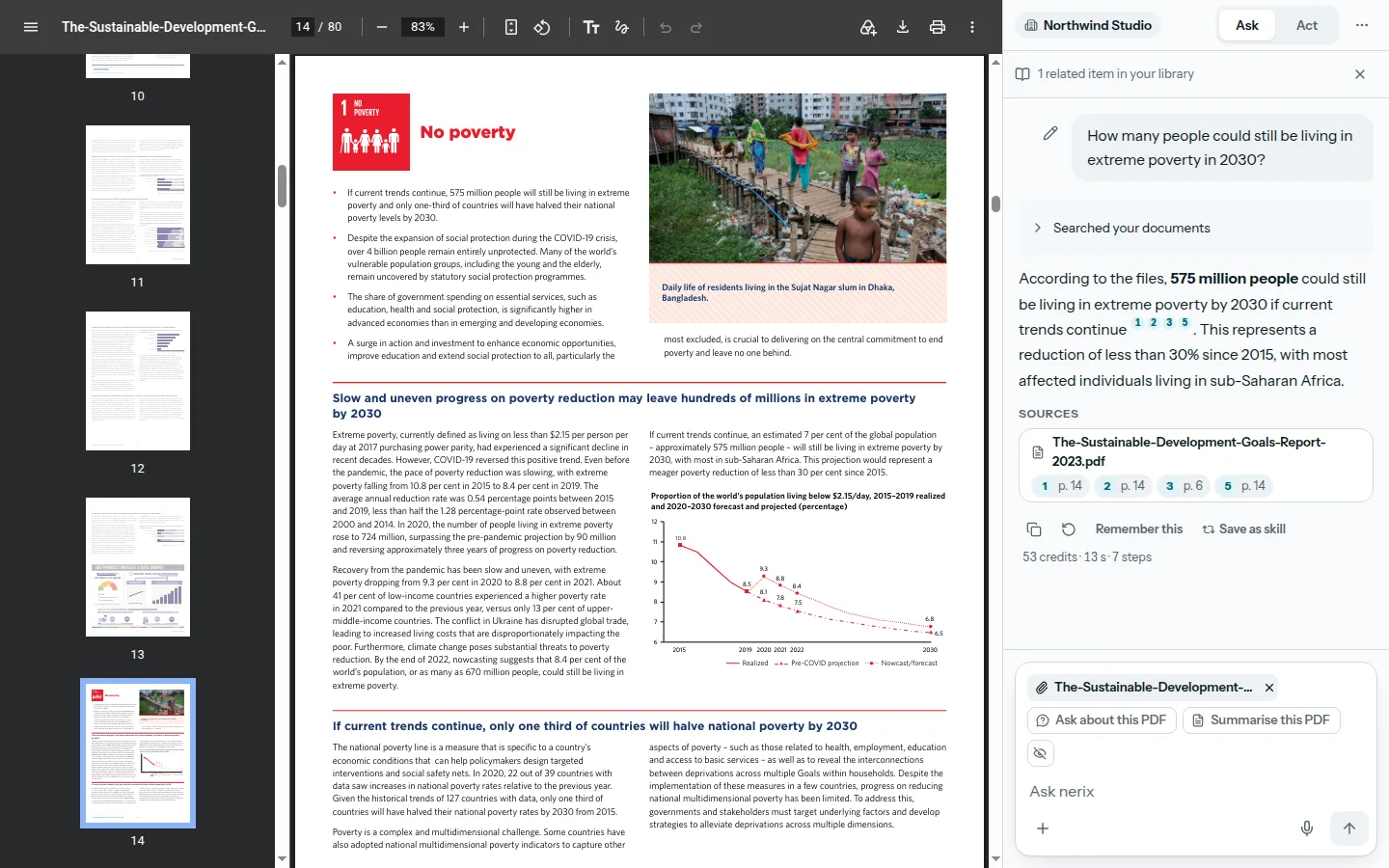
Your nerix tools, from the page you are on.
Create a task from an email, look up a client in your CRM, draft a document from a page or check your calendar, in the same chat. nerix uses the tools your role allows in the app, picks the ones that fit the question, and shows each step as it goes.
Anything that creates or changes something waits for your OK on a card that says exactly what will happen. Deleting, payments, people and roles, and messages to other people are never done from the browser.
04Help where you write
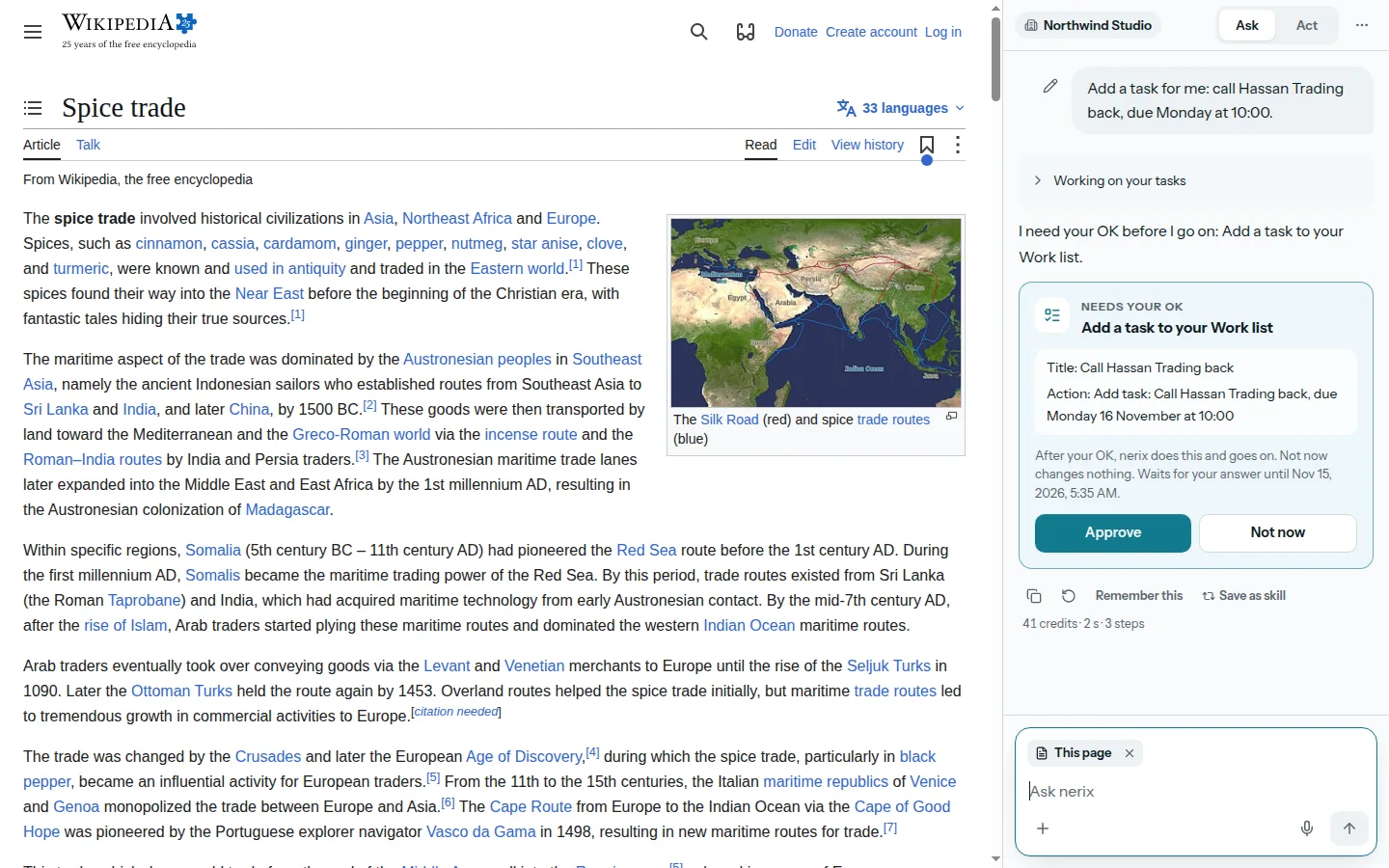
Write better in any text box.
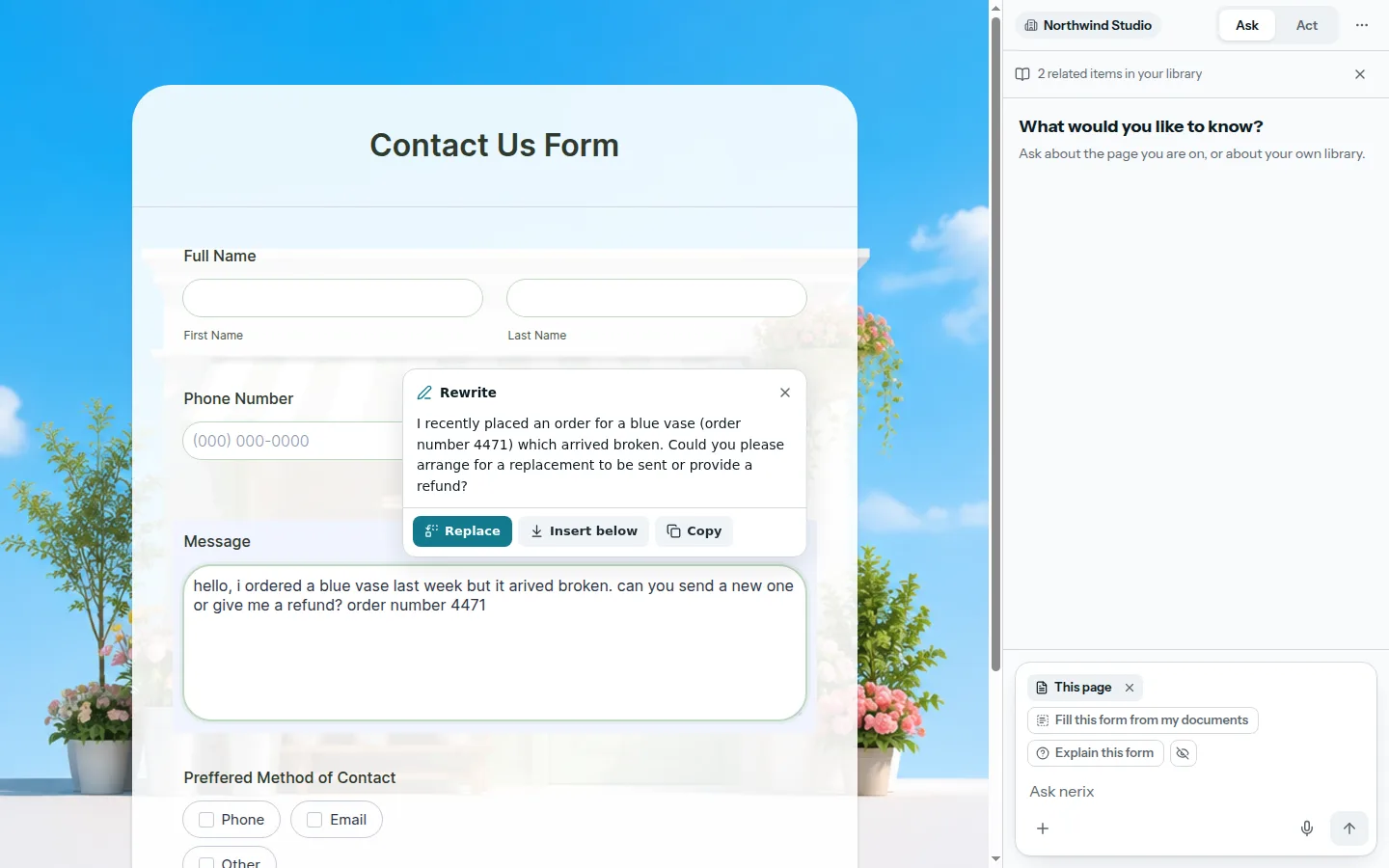
Select text and a small bar offers Ask, Explain, Translate, Rewrite and Save. In a text box you are writing in, a small dot offers Rewrite, Shorter, Longer, More formal, Friendlier, Fix spelling and Reply.
You see a preview first, and nothing in the box changes until you press Replace, with Undo after. It stays away from password, card and code boxes and from sign-in and payment pages, and you can turn it off for any site.
05Act, with your approval
It does the steps. You decide what is sent.
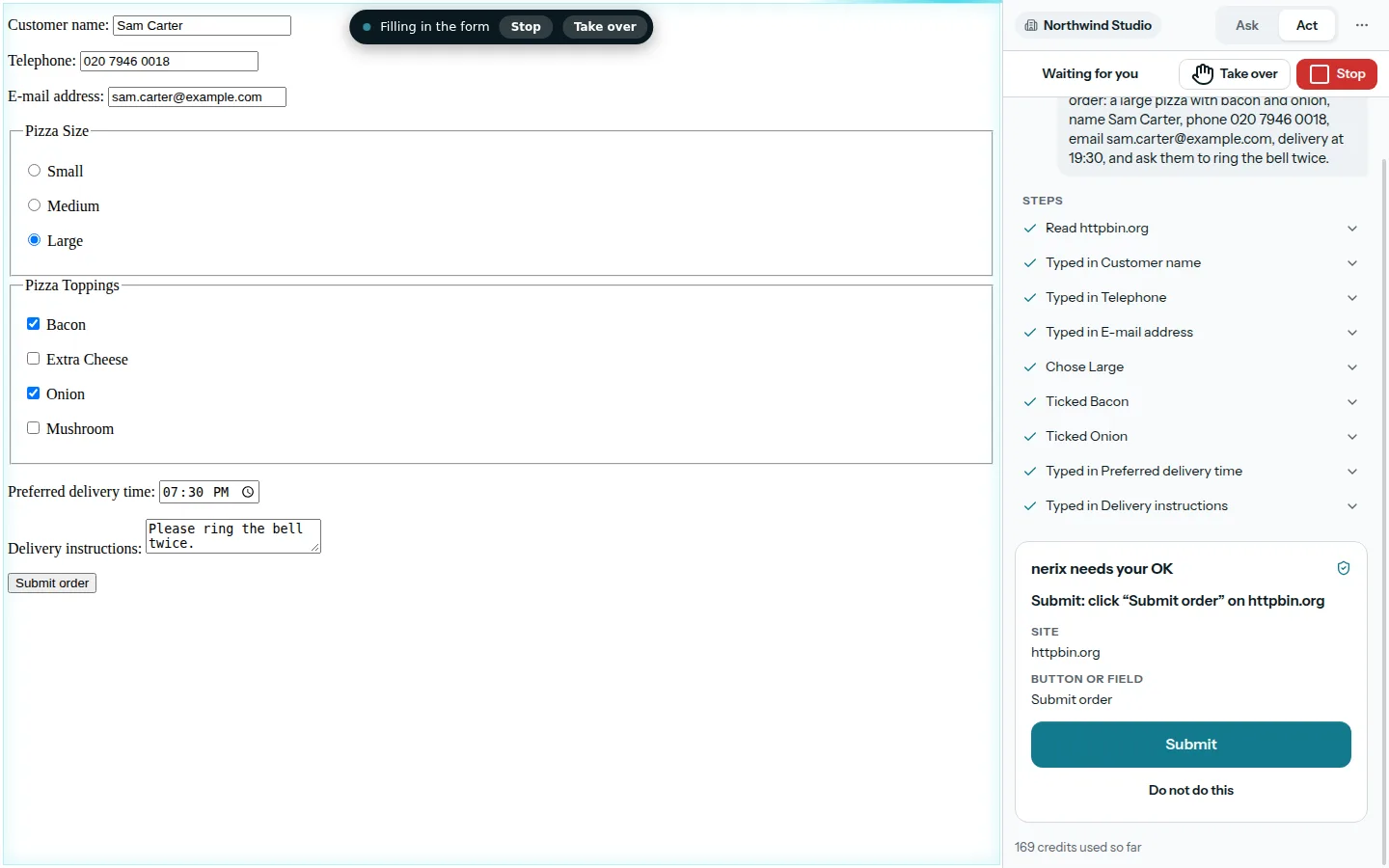
For a task of several steps, nerix first shows a plan: the goal, the steps and the sites it will use. You approve it, and only those sites are used. You see what it is doing, and Stop is always in reach.
It always stops for you before it sends, submits, pays, signs, deletes, shares personal data or downloads. It never types into password, card or one-time-code fields, never buys and never follows instructions hidden in a page. You do those parts.
06Forms
Fill forms from your documents, with sources.
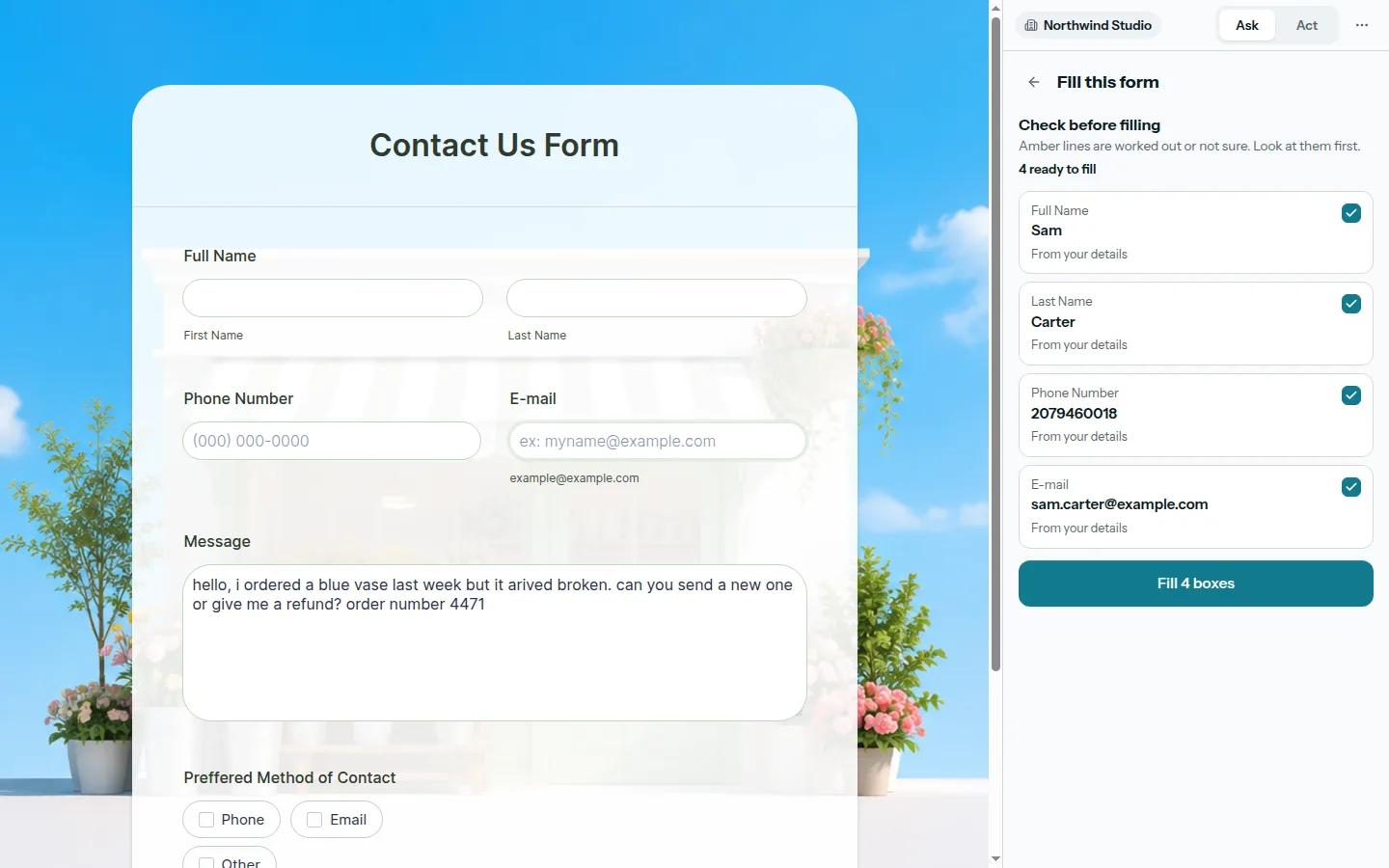
Visa, travel, insurance, job and supplier forms are filled from your profile, the people you have saved and your documents. Add a passport, an ID or any file in the panel: a passport is read on your computer, and each value shows where it came from.
What nerix is unsure about is marked, nothing on the page changes until you press Fill, and Undo puts it back. Values are never sent to the AI model, only the names of the fields.
07For teams
Controls the workspace owns.
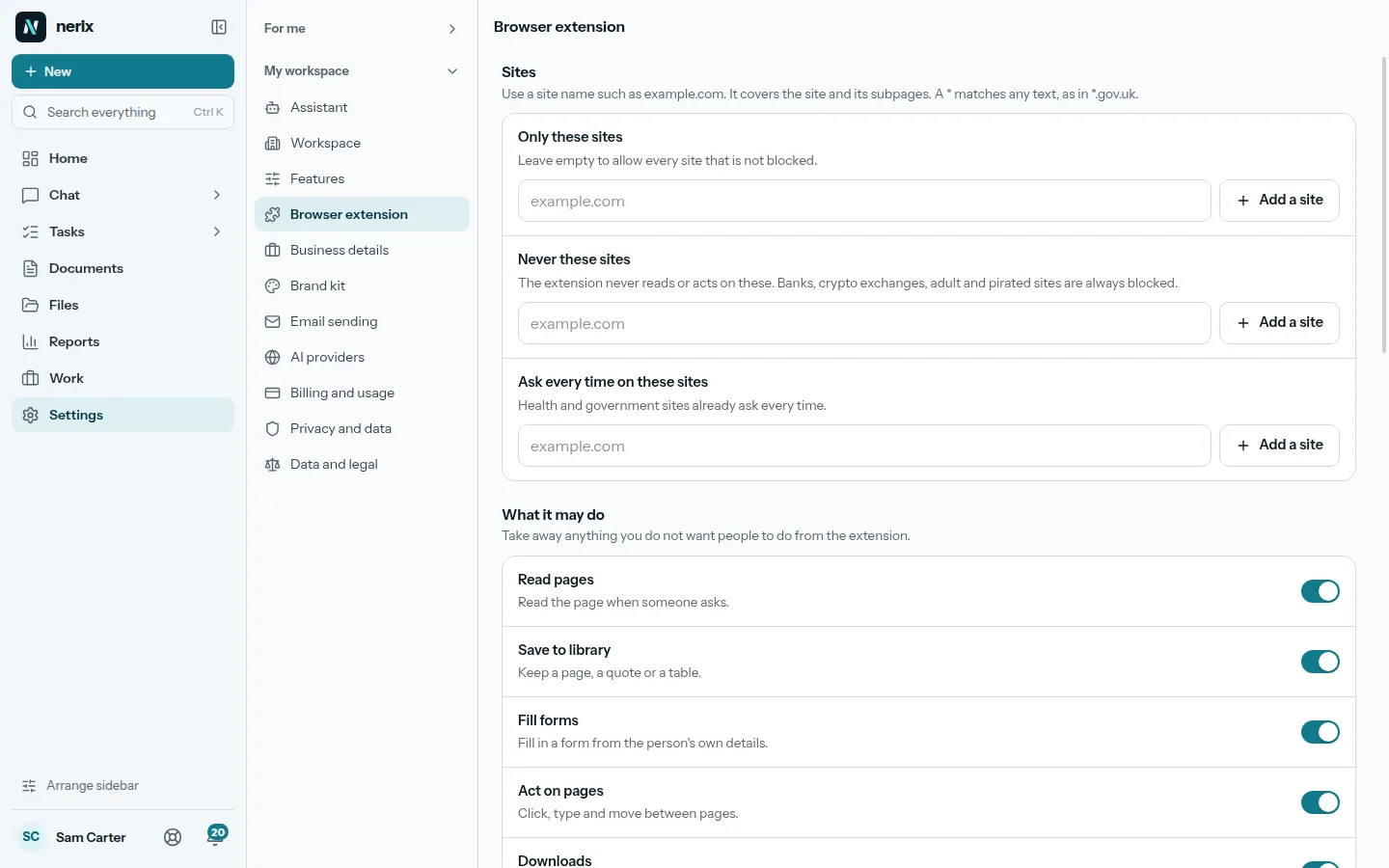
A workspace admin decides which sites nerix may act on, which actions always need approval, whether nerix's tools may be used from the browser and whether the extension is on at all. The rules are enforced on the server, so they hold even when someone changes the extension.
Every action is written to an audit log with the site and the time, and the credits used are shown beside the answer.
08Privacy
Only what you ask about leaves your browser.
Your question and the page text you asked about go to your nerix workspace. Pages you did not ask about, your browsing history and your passwords do not. Your content is never used to train models.
Chrome Web Store User Data Policy, including the Limited Use requirements, applies. How long things are kept is your workspace admin's setting.
- 01Library and searchYour files read, given a passport, connected and searchable two ways.
- 02The SheetDocuments, procedures and handbooks with their figures, every version kept.
- 03WebsitesWebsites and web apps from a conversation, ready to rank.
- 04Tasks and projectsTasks, cases and projects as a list, a board, a table or a calendar.
- 05Long tasksResearch, documents and websites done in the background, inside a credit limit.
- 06Built for youFeatures, connectors and workflows we build into your workspace.
- 07InterpreterTwo people, two languages, one phone that speaks for both. Or just talk to nerix.
- 08Email draftsEmails and replies written for you, changed in one click, sent when you say.
- 09DemosEverything you can try or watch: the example workspace, samples, templates and a free chat.
- 010PricingPlans and credits, in euros, monthly or yearly.
Keep reading
AI, data and websites5 min read
AI that acts in your browser, and what to check before you trust it
AI browser agents can click, type and fill forms for you. See what they do well today, the risks, and the checks to make before you let one act.
Comparisons and alternatives8 min read
The best AI Chrome extensions for work in 2026, compared
Compare the best AI Chrome extensions for work in 2026, from Gemini and Claude to Perplexity, Monica and nerix, on price, page access, privacy and approvals.
AI, data and websites5 min read
How to summarise a web page, a YouTube video or a PDF in Chrome with AI
Learn how to summarise a web page, a YouTube video or a PDF in Chrome with AI, step by step, with the limits to know and how to check the summary.