Certificate of Completion
This is to certify that
Priya Nair
has successfully completed
Customer Service Foundations
on 30 April 2027
24 hours of study
Passed with distinction
Issued by Lakeside Training Centre
Marcus Oyelaran
Head of Training
Confirm that someone finished a course or training, with a framed certificate for one learner or a whole class.
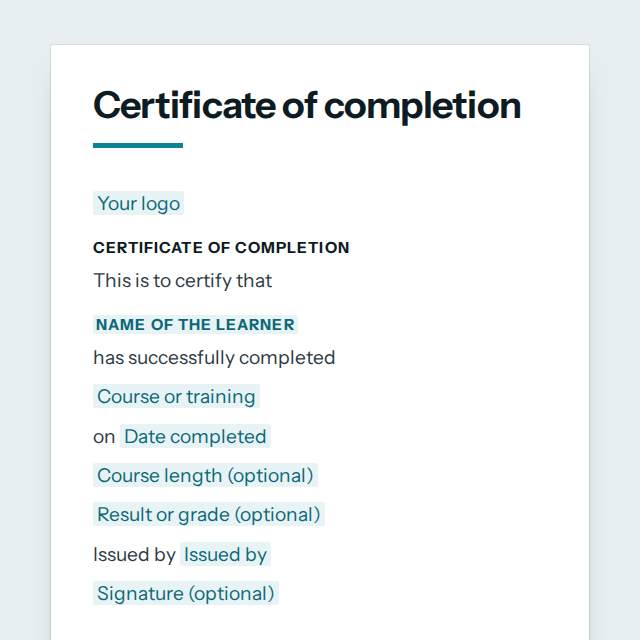
You are signed in. Fill it in your workspace and it is kept as a document you can send, share and have signed.Open in your workspace
This is to certify that
has successfully completed
Customer Service Foundations
on 30 April 2027
24 hours of study
Passed with distinction
Issued by Lakeside Training Centre
Marcus Oyelaran
Head of Training
Templates are a careful starting point, not legal advice. Where the law matters, check what applies where you are.
People and HR
A certificate of completion for a course, training or programme. Fill in the learner, course, date and your signature, then print one or make a whole class.
It is free to fill in online, needs no account, and downloads as a Word document or a PDF. See all People and HR templates All free certificate templates
People and HR
The form asks for 11 details. The document fills itself in as you type.
Shown at the top of the document.
For example: Priya Nair
For example: Customer Service Foundations
For example: 30 April 2027
For example: 24 hours of study
For example: Passed with distinction
For example: Lakeside Training Centre
For example: Marcus Oyelaran
For example: Head of Training
Draw it, type it or upload a photo of it.
A border round the page. Every frame prints well in black and white.
People and HR
The parts of this document, in order.
Templates
Type your details in the form. The document fills itself in as you type; click any gap to jump to its field.
Read it through. Gaps you have not filled stay marked, so nothing goes out half done.
Save it as a Word document to edit further, or as a PDF to send or print.
Open it in the chat and ask for changes: shorter, firmer, another situation, another language.
People and HR
Templates
Every category has its own page, so you can see all of its templates at once.
We use only what the site needs, and nothing else without your yes. Cookie policy
Needed for the site to work
Your consent choice and your light or dark look. Nothing about you is sent anywhere.
Preferences
Remembering choices you make on the site. Not in use yet.
Measuring visits
Recognising a returning visit, with a random number in your browser for our own visitor counter on our server in France: no cookies, no advertising. Without it we still count visits, with nothing stored on your device. Off until you say yes.
Marketing
Showing nerix ads on other sites. Not in use; off until you say yes.