Skip to content

Weekly status report

Tell your manager or team what got done this week, what is blocked and what comes next.

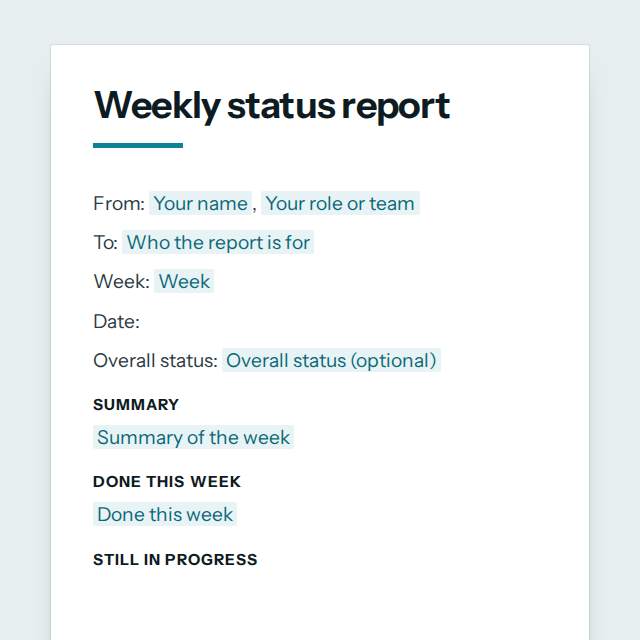
Weekly status report template, first page

Fill it in and preview

Weekly status report

From: Amara Okonkwo, Customer support, Lagos team
To: Hiroshi Tanaka, Head of Operations
Week: Week 47, 16 to 20 November 2026
Date: 21 November 2026

Summary

A steady week. Response times stayed under 2 hours and the new returns process went live on Wednesday. One system outage on Thursday cost us about three hours.

Done this week

  • Closed 212 customer tickets
  • Launched the new returns process
  • Trained two new colleagues on the help desk

Still in progress

  • Rewrite of the refund help pages, 60 percent done
  • Monthly customer survey, due Tuesday

Key numbers

Measure This week Last week Target
Tickets closed 212 187 200
Average first reply, hours 1.8 2.3 2

Blockers and risks

  • Thursday outage of the help desk system, cause still unknown
  • Waiting for legal approval of the new refund wording

Plan for next week

  • Publish the refund help pages
  • Send the monthly customer survey
  • Review the outage with the IT team

Help or decisions needed

Please approve one extra temporary agent for the sale period by Wednesday.

Templates are a careful starting point, not legal advice. Where the law matters, check what applies where you are.

Plans and reports

What this template is for

A weekly status report you fill in online: overall status, work done, blockers, next week's plan, key numbers and help needed. Download it as Word or PDF, free.

It is free to fill in online, needs no account, and downloads as a Word document or a PDF. See all Plans and reports templates

Plans and reports

What you fill in

The form asks for 12 details. The document fills itself in as you type.

  • Your name

    For example: Amara Okonkwo

  • Your role or team

    For example: Customer support, Lagos team

  • Who the report is for

    For example: Hiroshi Tanaka, Head of Operations

  • Week

    For example: Week 47, 16 to 20 November 2026

  • Overall status (optional)optional

    On track: going as planned. At risk: a problem may cause a delay. Off track: late or over budget unless something changes.

  • Summary of the week

    Two or three sentences with what the reader most needs to know.

    For example: A steady week. Response times stayed under 2 hours and the new returns process went live on Wednesday. One system outage on Thursday cost us about three hours.

  • Done this week

    One finished item per line.

    For example: Closed 212 customer tickets Launched the new returns process Trained two new colleagues on the help desk

  • Still in progress (optional)optional

    For example: Rewrite of the refund help pages, 60 percent done Monthly customer survey, due Tuesday

  • Key numbersoptional

    Figures that show how the week went. Add a target if you have one.

  • Blockers and risks

    Write None if nothing is in the way.

    For example: Thursday outage of the help desk system, cause still unknown Waiting for legal approval of the new refund wording

  • Plan for next week

    For example: Publish the refund help pages Send the monthly customer survey Review the outage with the IT team

  • Help or decisions needed (optional)optional

    For example: Please approve one extra temporary agent for the sale period by Wednesday.

Plans and reports

What is inside

The parts of this document, in order.

  1. 1Summary
  2. 2Done this week
  3. 3Still in progress
  4. 4Key numbers
  5. 5Blockers and risks
  6. 6Plan for next week
  7. 7Help or decisions needed

Templates

How it works

  1. 01

    Fill in

    Type your details in the form. The document fills itself in as you type; click any gap to jump to its field.

  2. 02

    Check

    Read it through. Gaps you have not filled stay marked, so nothing goes out half done.

  3. 03

    Download

    Save it as a Word document to edit further, or as a PDF to send or print.

Make it yours with AI

Open it in the chat and ask for changes: shorter, firmer, another situation, another language.

Adapt it with nerix

Plans and reports

Questions people ask

What details does this template ask for?

The form asks for 12 details, starting with Your name, Your role or team, Who the report is for, Week, Summary of the week. 4 more are optional.

Can I download this template as Word or PDF?

Yes. When you have filled in the form, save it as a Word document to keep editing, or as a PDF to send or print. It is free and needs no account.

Is what I type sent anywhere?

No. What you type stays in your browser while you fill in the document. It only goes to nerix if you choose to open the template in the chat.

What should I check before I use this template?

Keep it to facts a reader can check. Leave out personal data about customers or colleagues unless the report is only for people who may see it.

Are these planning templates free?

Most are. Fill in and download them for free as Word or PDF, with no account. A few longer documents are premium: free to fill in, paid once to download, and marked with their price.

How long should a business plan be?

As short as it can be while it says what you sell, to whom, how you earn money and what you need. Ten pages is plenty for most small businesses.

Will a plan get me funding?

It cannot promise that. A clear plan helps a bank or an investor understand you, and they decide by their own rules.