VISITOR
Mei-Ling Tan
Bluewave Engineering
Visiting: Rasmus Holm, Finance
17 Nov 2026, valid until 17:00
No. 24
Escort needed beyond reception. Please sign out.
Visitor badges
Sticker visitor badges with the guest, the host and the date, for one visitor or a day's list.
Fill it in and preview
You are signed in. Fill it in your workspace and it is kept as a document you can send, share and have signed.Open in your workspace
Templates are a careful starting point, not legal advice. Where the law matters, check what applies where you are.
Operations and quality
What this template is for
Visitor badges and passes for reception: VISITOR in bold, the guest's name and company, who they visit, the date and end time, and an escort line. Word or PDF.
It is free to fill in online, needs no account, and downloads as a Word document or a PDF. See all Operations and quality templates All free label templates
Operations and quality
What you fill in
The form asks for 8 details. The document fills itself in as you type.
Heading
One word in capitals reads best across a room. Use GUEST or CONTRACTOR if you prefer.
For example: VISITOR
Visitor's name
For a day's list, use Make many at once below with one visitor per line.
For example: Mei-Ling Tan
Visitor's company (optional)optional
For example: Bluewave Engineering
Host and department
The person the visitor has come to see. It prints after Visiting.
For example: Rasmus Holm, Finance
Date of the visit and end time
A time the badge ends makes an old badge easy to spot.
For example: 17 Nov 2026, valid until 17:00
Badge number (optional)optional
For example: No. 24
A line at the foot (optional)optional
For example the areas the visitor may enter, an escort rule or a reminder to sign out.
For example: Escort needed beyond reception. Please sign out.
Label sheetoptional
Pick the sheet printed on your pack of labels. The labels print true to its size, so set the print scale to 100%.
Operations and quality
What is inside
The parts of this document, in order.
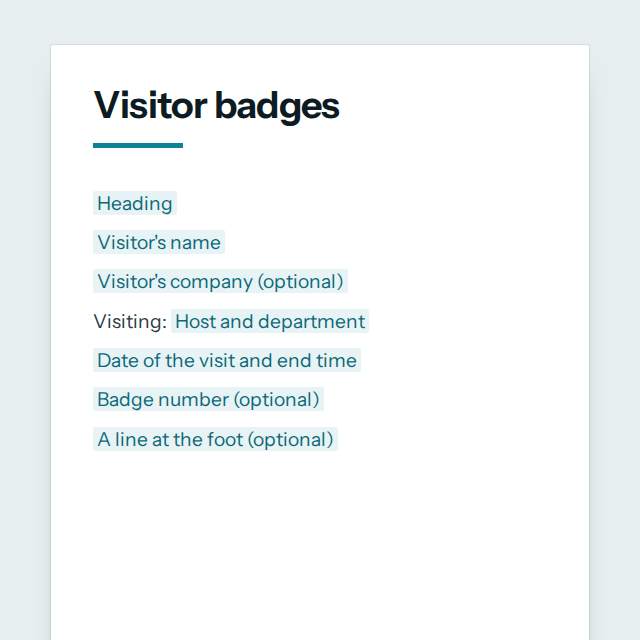
- 1[Visitor's name]
- 2[Visitor's company (optional)]
- 3Visiting: [Host and department]
- 4[Date of the visit and end time]
- 5[Badge number (optional)]
- 6[A line at the foot (optional)]
Templates
How it works
- 01
Fill in
Type your details in the form. The document fills itself in as you type; click any gap to jump to its field.
- 02
Check
Read it through. Gaps you have not filled stay marked, so nothing goes out half done.
- 03
Download
Save it as a Word document to edit further, or as a PDF to send or print.
Make it yours with AI
Open it in the chat and ask for changes: shorter, firmer, another situation, another language.
Was this template helpful?
Operations and quality
Questions people ask
What details does this template ask for?
- The form asks for 8 details, starting with Heading, Visitor's name, Host and department, Date of the visit and end time. 4 more are optional.
Can I download this template as Word or PDF?
- Yes. When you have filled in the form, save it as a Word document to keep editing, or as a PDF to send or print. It is free and needs no account.
Is what I type sent anywhere?
- No. What you type stays in your browser while you fill in the document. It only goes to nerix if you choose to open the template in the chat.
What should I check before I use this template?
- A badge is for the day, not proof of identity. Print only what staff need to see, such as the name, the host and the date, never a phone or ID number. Keep a sign-in record where your rules ask for one, collect or destroy badges when visitors leave, and keep visitor names only as long as you need them.
Are these operations templates free?
- Most are. Fill in and download them for free as Word or PDF, with no account. A few longer documents are premium: free to fill in, paid once to download, and marked with their price.
Do they meet a standard such as ISO 9001?
- They are a practical starting point and certify nothing. Standards and safety laws differ by industry and country, so check what applies to you.
Who should approve a procedure?
- The person who owns the process and a manager who can authorise it. The procedure template has fields for both, and for the review date.
Templates
More kinds of documents
Every category has its own page, so you can see all of its templates at once.