Hello, my name is
Tomasz Wrona
she/her
Head of Partnerships
Kestrel Logistics
Supply Chain Summit, 9 March 2027
Name tags
Name tags on sheet labels: type one name for a full sheet, or paste a list for one tag per person.
Fill it in and preview
You are signed in. Fill it in your workspace and it is kept as a document you can send, share and have signed.Open in your workspace
Templates are a careful starting point, not legal advice. Where the law matters, check what applies where you are.
Sales and marketing
What this template is for
Name tags for events, classes and the office: a greeting, the name in bold, a role, the organisation and the event, on a sheet of 8, 10 or 14. Word or PDF.
It is free to fill in online, needs no account, and downloads as a Word document or a PDF. See all Sales and marketing templates All free label templates
Sales and marketing
What you fill in
The form asks for 7 details. The document fills itself in as you type.
Greeting (optional)optional
A short line above the name. Leave empty for a plainer tag.
For example: Hello, my name is
Name
To print a whole guest list, use Make many at once below and paste one name per line.
For example: Tomasz Wrona
Pronouns (optional)optional
For example: she/her
Job title, class or role (optional)optional
For example: Head of Partnerships
Company, school or group (optional)optional
For example: Kestrel Logistics
Event and date (optional)optional
For example: Supply Chain Summit, 9 March 2027
Label sheetoptional
Pick the sheet printed on your pack of labels. The labels print true to its size, so set the print scale to 100%.
Sales and marketing
What is inside
The parts of this document, in order.
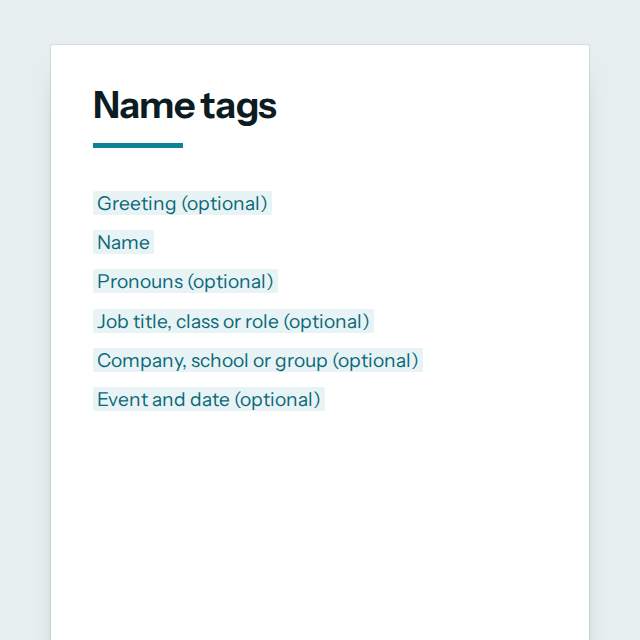
- 1[Greeting (optional)]
- 2[Pronouns (optional)]
- 3[Job title, class or role (optional)]
- 4[Company, school or group (optional)]
- 5[Event and date (optional)]
Templates
How it works
- 01
Fill in
Type your details in the form. The document fills itself in as you type; click any gap to jump to its field.
- 02
Check
Read it through. Gaps you have not filled stay marked, so nothing goes out half done.
- 03
Download
Save it as a Word document to edit further, or as a PDF to send or print.
Make it yours with AI
Open it in the chat and ask for changes: shorter, firmer, another situation, another language.
Was this template helpful?
Sales and marketing
Questions people ask
What details does this template ask for?
- The form asks for 7 details, starting with Name. 6 more are optional.
Can I download this template as Word or PDF?
- Yes. When you have filled in the form, save it as a Word document to keep editing, or as a PDF to send or print. It is free and needs no account.
Is what I type sent anywhere?
- No. What you type stays in your browser while you fill in the document. It only goes to nerix if you choose to open the template in the chat.
What should I check before I use this template?
- Print a test page on plain paper first and lay it over the label sheet against a window. Set the print scale to 100% so the tags land on the labels. Add pronouns only when people have chosen to share them.
Are these marketing templates free?
- Most are. Fill in and download them for free as Word or PDF, with no account. A few longer documents are premium: free to fill in, paid once to download, and marked with their price.
Do I need a customer's permission for a case study?
- Yes. Get the customer's written approval of the text, the quotes and any logo before you publish. The case study template has a field for it.
Can nerix improve the wording?
- Yes. Open the template in the nerix chat and ask for a shorter, warmer or more formal version, then check every fact before you publish.
Templates
More kinds of documents
Every category has its own page, so you can see all of its templates at once.