Most small businesses do not need a clever website. They need a site that says clearly what they do, shows that they are real, and makes it easy to get in touch, and that search engines can read well enough to send people to it. AI makes the building part fast. The parts that decide whether the site works are still yours: knowing what customers ask, and saying it honestly. This guide covers how to build a small business website with AI and make it easy to find.
Start with the questions customers ask
Before any design, write down what a stranger needs to know to choose you. For a local business, the list is short and nearly always the same:
- What do you do, in one sentence?
- Where are you, and where do you work?
- What does it cost, or how do I find out?
- Why should I trust you?
- How do I contact you, and when are you open?
These become your pages and your headings. A bakery needs a menu, a story, how to order for events, and where to find it. A plumber needs the services, the area, an emergency number and proof of qualifications. If your site answers these five questions quickly, you are most of the way there.
Plan pages around what people search for
Search engines match what people type to pages that answer it. People rarely search for "welcome to our website". They search for "wedding cake near me", "boiler repair Leeds" or "accountant for freelancers". So give each important service or product its own page with a title and heading that say what it is, in the words customers use.
A practical starting set for a small business:
- Home: what you do, for whom, where, with one clear action.
- One page per main service or product, each with its own details and price or how to ask.
- About: who is behind it, with real names and a real photo if you are comfortable.
- Contact: address, phone, email, hours, a map link and a simple form.
- Questions: the things customers ask before buying, answered plainly.
Resist the urge to build twenty thin pages. Five good ones beat twenty that say the same thing.
What AI is good for here, and what it is not
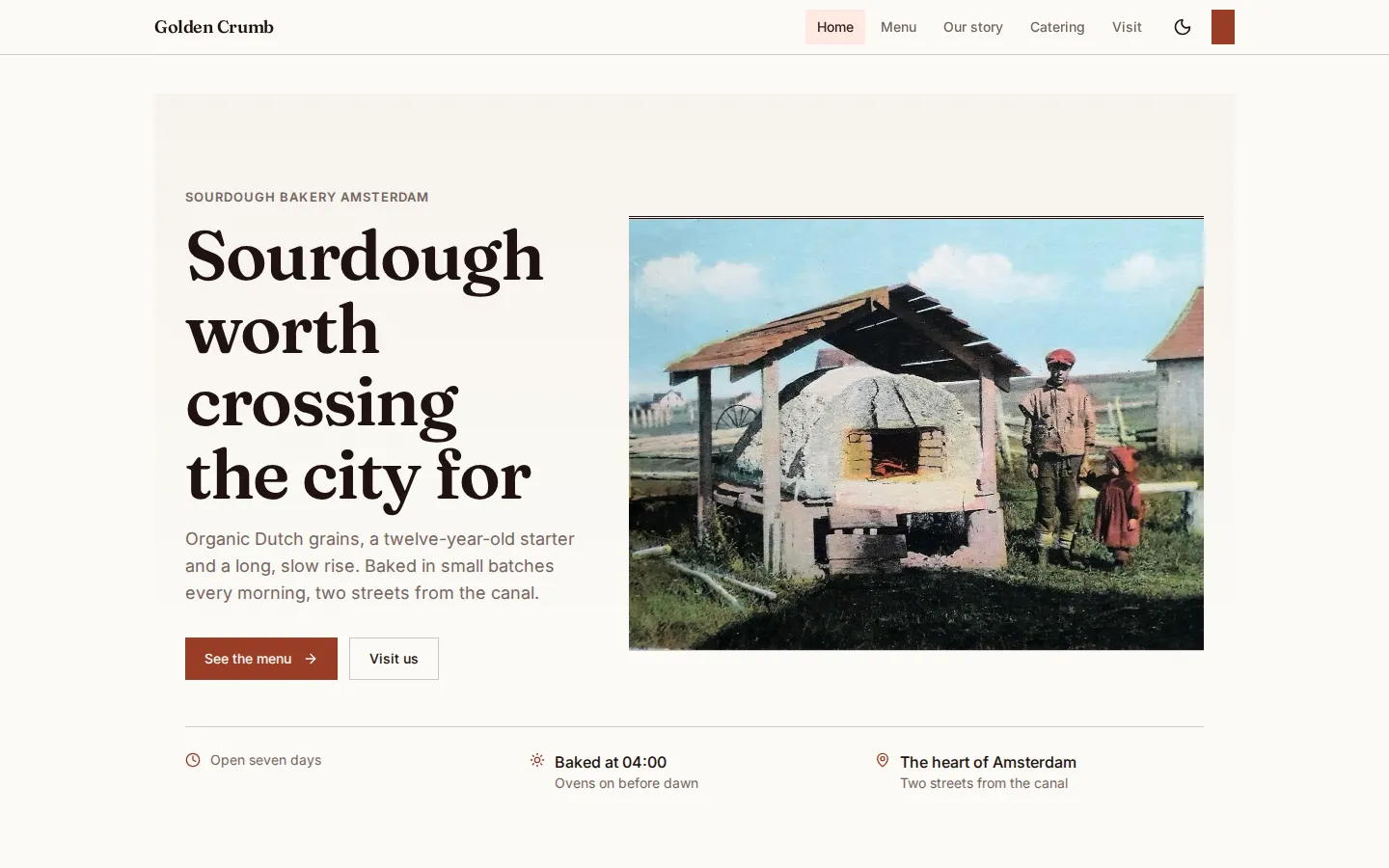
AI is useful for the heavy lifting: proposing the page structure, writing a first version of each page, and producing the working code. In nerix you describe the business in the chat, and it plans the pages, designs them in a look of their own, writes the code and opens the result in a real browser at phone, tablet and desktop width before you see it. The Golden Crumb site above is an invented example bakery built from one message, and it shows the idea: home, menu, story, catering and how to find it.
It is not good at facts it cannot know. Prices, opening hours, the name of your street, your qualifications and your photos have to come from you. Read every page for things that are plausible but wrong, such as a service you do not offer or a promise you cannot keep. A site that sounds right and is wrong costs you customers.
A few habits help:
- Give it real details in your first message: the business, the town, the services and prices, what a visitor should do.
- Ask it to use your words where you have them, such as an old brochure or a menu.
- Replace placeholder photos with real ones when you can. Real photos of your premises and your work build trust that stock images do not.
- Read it all aloud once. If a sentence sounds like any business anywhere, rewrite it with something specific.
The search basics that matter most
You do not need a specialist to get the fundamentals right. These are the things that make the biggest difference for a small site.
A clear title and description for every page
The title is what appears as the blue link in search results, and the description is the line beneath it. Each page needs its own, written for a person: what the page is, and why to click. Keep titles to about 60 characters and descriptions to about 160, so they are not cut off. Do not repeat the same title across pages.
One main heading per page, then a sensible order
Each page should have one main heading that says what the page is about, followed by subheadings in order. This helps readers skim and helps search engines understand the page.
Words for every image
Every image needs a short description, called alt text, that says what it shows. It helps people using screen readers and gives search engines context. "Fresh sourdough loaves cooling on a rack in the Golden Crumb kitchen" is useful. "Image 1" is not.
Real pages that load quickly
Search engines read the HTML of a page. A site that arrives as an empty shell and fills in later with scripts can be harder for them to read. nerix publishes each page as real HTML, with its own title and description, structured data for the business, a sitemap and a share card. Speed matters too: small images, few scripts and no unnecessary clutter.
Information that helps search engines understand your business
Structured data is a small block of machine-readable facts behind the page: your business name, address, opening hours, the questions you answer. It helps search engines show richer results. It must match what is on the page, so only mark up what is true and visible.
Work on a phone first
Most visitors to a small business site arrive on a phone. Check every page at a narrow width: text readable without zooming, buttons easy to tap, no sideways scrolling, phone number that you can tap to call.