Skip to content

Meeting minutes with AI, without losing the plot

Take meeting minutes people trust with a meeting minutes template and AI: what to capture, what to check by hand, and decisions turned into tasks the same day.

The nerix teamPublished 5 min read

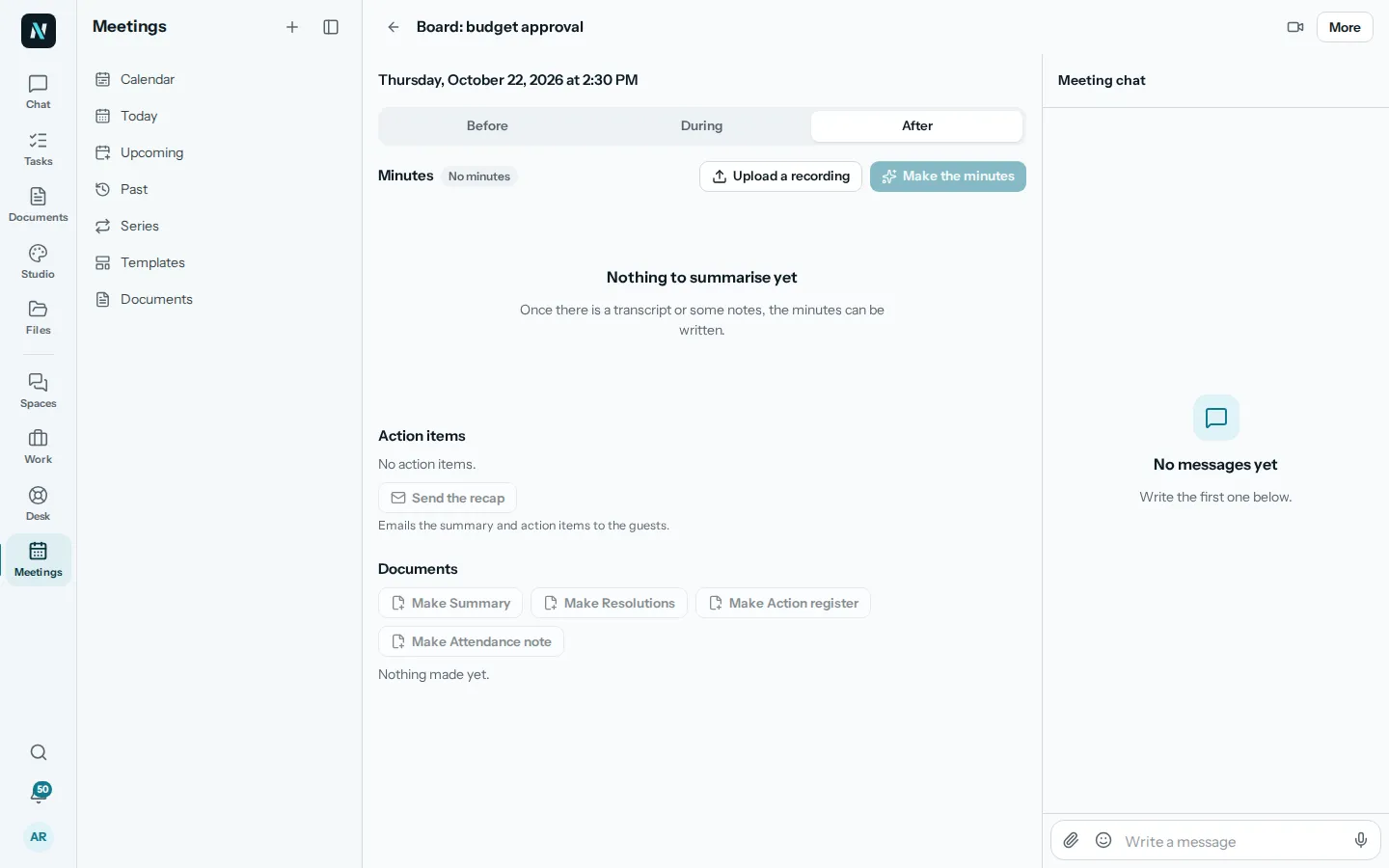
The After tab of an example meeting in nerix, with Upload a recording, Make the minutes, the action items and the documents that can be made from the meeting.
In this guide

Nobody enjoys writing minutes, and everybody wants to read them when there is a disagreement three weeks later. AI makes the writing part easy. It does not make the thinking part optional. The aim is minutes that save time and that people trust. Below is a simple meeting minutes template, and how AI can draft it for you to check.

What minutes are for

Minutes have one job: to let someone who was there, or was not, find out what was decided and what happens next. Everything else is optional. A useful set of minutes answers five questions:

  • Who was there, and who sent apologies?
  • What was decided? Not discussed: decided.
  • Who will do what, and by when?
  • What was left open, and who will bring it back?
  • When and where is the next meeting?

If your minutes are three pages of who said what, almost nobody will read them. If they are five clear lines, they will be used. A decision stated plainly is worth more than a faithful account of the argument that led to it.

Why AI helps, and where it goes wrong

AI is good at the mechanical part. Given a transcript or a page of rough notes, it can pick out the decisions, list the actions with their owners, and write them in a consistent shape. That takes a job that used to be twenty minutes and makes it a two-minute read.

It goes wrong in predictable places:

  • Names and numbers. A transcript can mishear a name, or a figure, and the draft will repeat the mistake confidently.
  • Who owns an action. If nobody said "I will do that", the draft may guess, or assign it to whoever spoke last.
  • Decisions that were only suggested. "We could move the launch to March" is not "the launch moves to March". Check that proposals were not turned into decisions.
  • Tone and politics. A draft does not know what is sensitive. Some things belong in the room and not in the record.

So the rule is simple: AI drafts, a person who was there approves. Treat the draft like a colleague's first pass, not like a recording of the truth.

Before the meeting: make the minutes easy

The best minutes start before anyone speaks. A short agenda, with an owner for each item, gives the draft its structure. In nerix, a meeting has a Before tab for exactly this: the agenda with a person for each topic, the guests and whether they are coming.

Then decide how you will capture what happens. There are two practical routes:

  1. Live notes. One person types short notes during the meeting: decisions, actions and owners. This is the most reliable input, because a human decided what mattered at the time.
  2. A recording. If everyone knows and agrees the meeting is recorded, the transcript becomes the input. It is more complete and less selective, so the draft needs more checking.

Many teams use both: live notes for decisions and actions, a transcript to settle what was actually said.

During the meeting: capture decisions as they happen

When a decision is made, say it out loud in one sentence and let the note-taker write it down. "So we agreed: the offer goes to the client on Friday, Maya sends it." Saying it twice, once to decide and once to record, removes most of the later arguments.

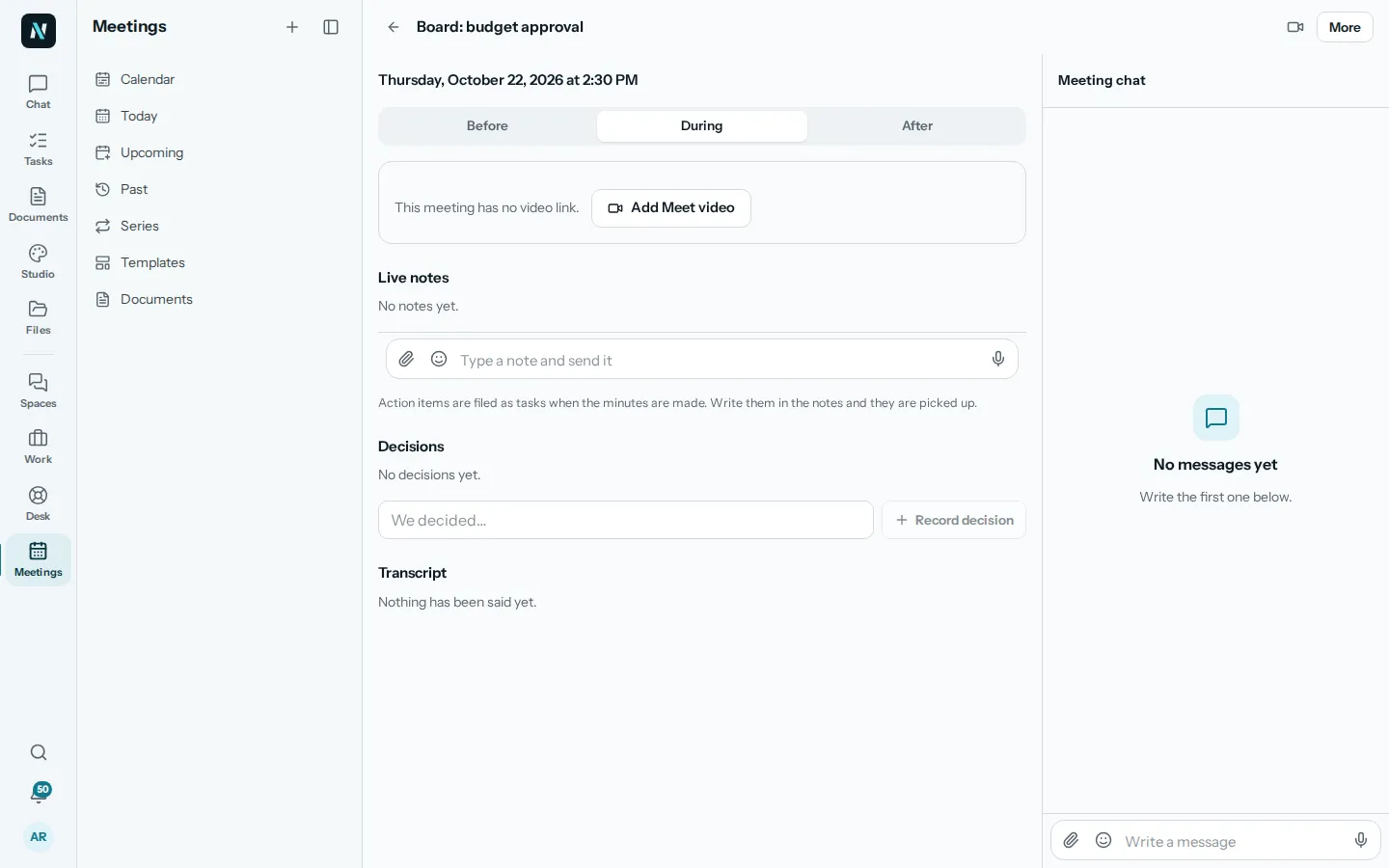
NXFIG0X In nerix, the During tab has live notes, decisions and action items side by side, so these are captured as separate things rather than buried in a paragraph. That matters later: an action item that exists as an item can become a task with an owner and a date, and a decision that exists as a decision can be found again.
After the meeting: draft, check, send

Within the hour, while people still remember, do this:

  1. Make the draft. In nerix, the After tab has Make the minutes. It writes the minutes from the transcript or notes. If you have a recording, you can upload it there to get a transcript first.
  2. Read it against your memory. Check names, numbers, dates and every decision. Fix what is wrong, and cut what should not be in the record.
  3. Send it for review. Minutes can be sent to others for review and approved before they go out, so the record is agreed rather than assumed.
  4. Send the recap. One email to the guests with the summary and the action items.

Do not skip step two. A fast draft that nobody checked is how a wrong deadline ends up in writing.

Turn actions into work, the same day

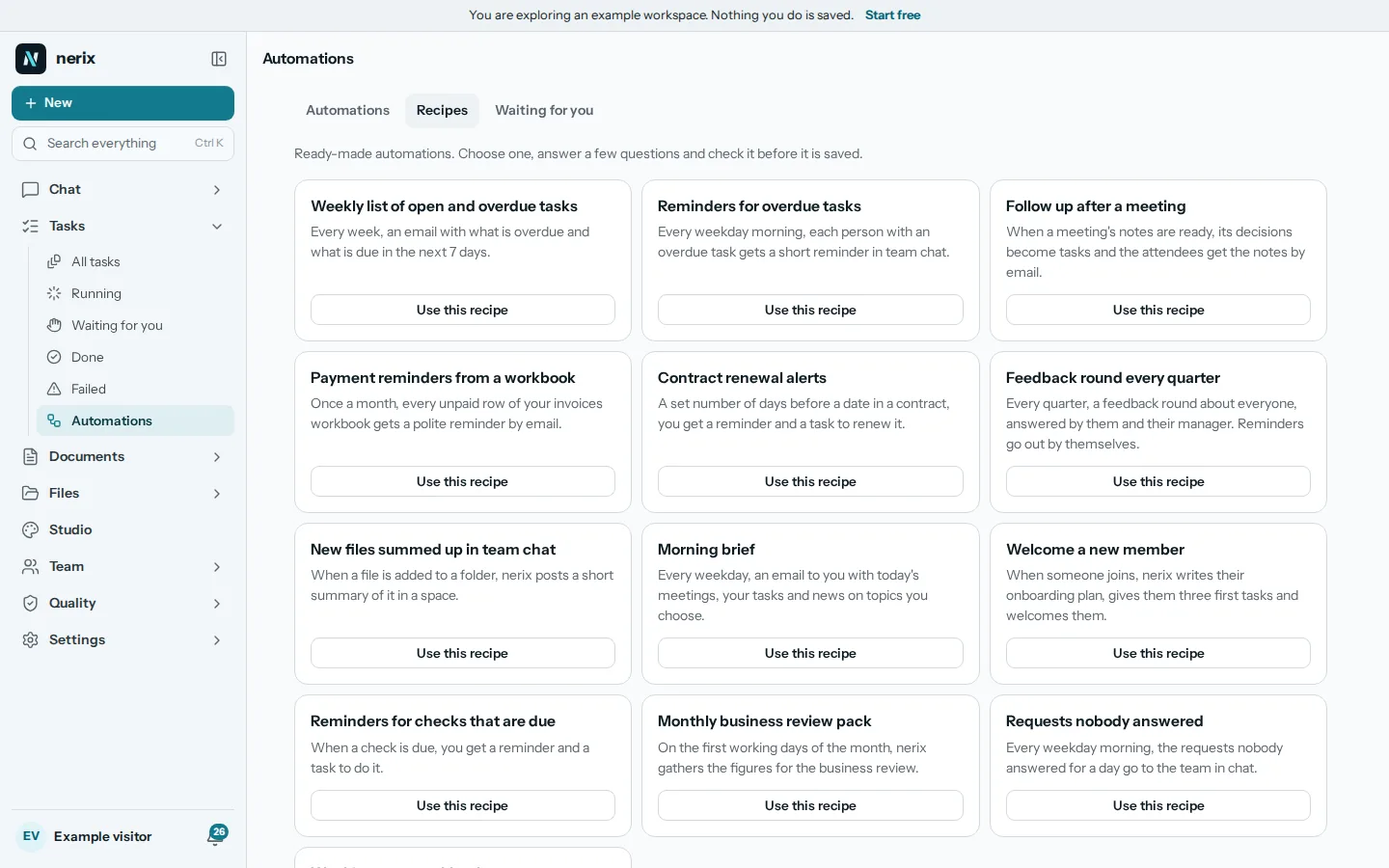
Minutes that only list actions do nothing by themselves. The test of a good meeting process is whether the actions end up where people already look. In nerix, action items can be filed as tasks in Work, with an owner and a due date, so they appear in people's own lists and boards rather than only in a document. If your team talks in Spaces, the conversation that follows can live there too, in the topic for that project, instead of in five separate email threads.

If you do not use nerix for this, the principle still holds: every action leaves the meeting with one owner and one date, and lands in the place where that person looks every day.

A simple format that works

Use a short, steady shape so people learn where to look:

  • Meeting: name, date, time, who attended.
  • Decisions: numbered, one sentence each.
  • Actions: what, who, by when.
  • Open questions: what is still undecided, and who will bring it back.
  • Next meeting: date.

Our free meeting minutes template has this shape ready to fill in, and downloads as Word or PDF. For the message that goes out afterwards, the follow-up email after a meeting is a good starting point.

A note on recordings and privacy

If you record, tell people before you start and let them say no. Some meetings should never be recorded: personnel matters, legal advice, sensitive negotiations. For the ones you do record, know where the audio and transcript go. nerix stores data in the EU, on servers in Germany, and never uses your content to train a model, and the Security page explains what happens to text when it is sent to a model provider. Reading it takes five minutes, and it is worth doing before the first meeting you record.

The short version

Capture decisions and actions as they happen. Let AI write the first draft from them. Check names, numbers and decisions yourself before it goes out. Then make sure every action becomes a task with an owner and a date. That is most of what makes meetings worth holding.

Questions people ask

Can AI write meeting minutes by itself?
It can write a good first draft from a transcript or from notes. A person who was in the meeting should still read it before it goes out, because names, numbers and the exact wording of a decision matter.
What is the difference between minutes and a summary?
Minutes are the record: who attended, what was decided, who will do what and by when. A summary is shorter and tells someone who was not there what happened. Many teams send both.
Do I need to record the meeting?
No. Minutes can come from live notes typed during the meeting. A recording gives a transcript to work from, but people in the meeting should know and agree if it is recorded.

Share this guide

Templates for this

Fill one in online and download it as Word or PDF. Free, no account, and what you type stays in your browser.

  • Meeting minutes

    Record who attended, what was decided and who does what by when, ready for the chair to sign.

  • Follow-up email after a meeting

    Recap a meeting: what you agreed, who does what by when, and the next step.

In nerix

Try it on your own work.

nerix writes the first draft, answers from your documents with the page each sentence came from, and keeps the team's work in one place. Start on the free plan.

Keep reading