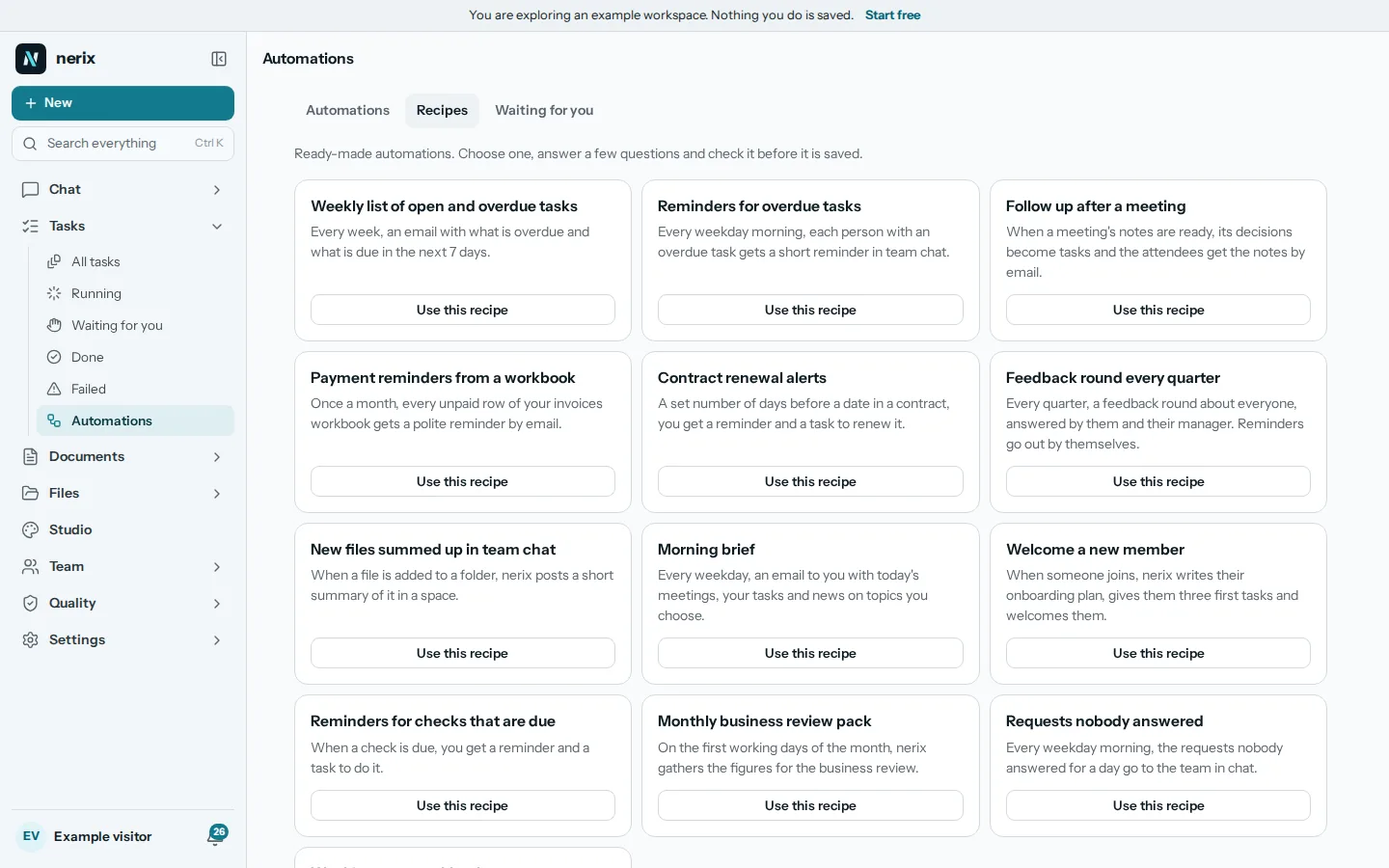
Workflow automation means letting software do a repeated job when something happens or at a set time, so a person does not have to remember it. For a small business the gain is not clever technology. It is the Monday report that always arrives, the reminder that always goes out and the new hire who always gets the same welcome. This guide lists ten routines worth automating first, shows how to test a rule before you trust it, and ends with how to choose a tool.
Start with the jobs that repeat
A good first candidate has four traits. It happens at least weekly. It follows the same steps each time. A mistake is easy to undo. And someone currently does it from memory, which means it is sometimes forgotten.
Write down every job you did twice this month that felt like chasing. Then sort that list by two questions: how often does it happen, and what is the cost if the automation gets it wrong? Frequent and cheap to get wrong goes first. Rare or expensive to get wrong goes last, or stays manual with a checklist.
Ten routines most small businesses can automate
- A weekly list of open and overdue tasks. Every Monday morning, one message with what is late and what is due this week. It replaces a status meeting for many teams.
- Reminders for overdue tasks. The owner of a late task gets a nudge, and nobody has to play the nag.
- A follow up after each meeting. When a meeting ends, send the notes and the action items to the people who were there. See meeting minutes with AI for what good notes contain.
- Payment reminders. A polite note when an invoice passes its due date. Pair it with wording from payment reminder emails that get paid.
- Contract renewal alerts. A message 30 or 60 days before a contract ends, so you decide on renewal instead of finding out afterwards.
- A welcome for a new team member. The same checklist, accounts and first week plan every time. The 30 day onboarding guide gives the content.
- A feedback round every quarter. A short survey goes out on the same day each quarter and the answers come to one place.
- A morning brief. What is on today: meetings, deadlines, anything waiting for your answer.
- Unanswered requests. If a customer or colleague has waited a day without an answer, flag it.
- Month end packs. On the last working day, collect the numbers and tasks you always look at into one document.
None of these needs a custom integration. Most need only a trigger (a schedule or an event), a lookup of your own data, and one message or document.
Keep a person in the loop where it matters
The mistakes people make with automation are rarely technical. They are two kinds. The first is a rule that runs too often, such as emailing the same customer every hour. The second is a rule that sends something to people with no one looking. A few habits prevent both.
- Test run first. Run the rule on a copy or with a preview that shows what each step would do. Do not let a new rule loose on real customers on day one.
- Approval for outward messages. Anything that reaches customers or suppliers should wait for a yes from a person until you trust it. Reminders to your own team can go straight out.
- A cap. Put a limit on how many runs, messages or paid AI calls one rule can make in a month.
- A log. You should be able to see what ran, when and what it did. When something odd happens, the log is how you find out why.
- An owner. Every rule has a person who maintains it. Rules with no owner keep running long after the process changed.