Ugrás a tartalomra

Project management without the overhead

A light way to run project management for a small team: one list, clear owners and dates, a weekly check and an honest status update.

A nerix csapataMegjelent 6 perc olvasás

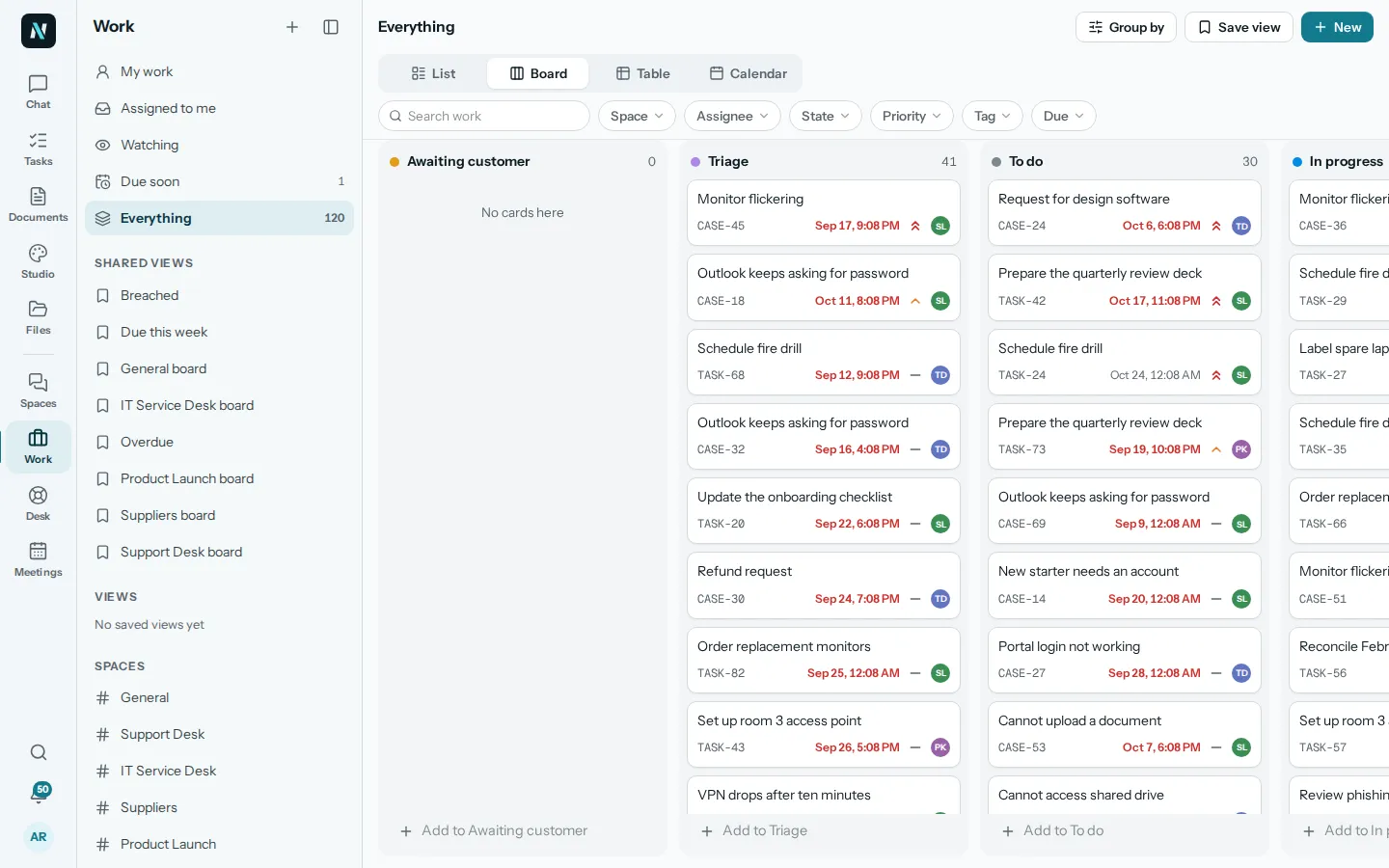
The Work place in nerix showing everything as a board with columns for Awaiting customer, Triage, To do and In progress, and tabs for List, Board, Table and Calendar.
Ebben az útmutatóban

Project management has a reputation for paperwork: Gantt charts, status reports, meetings about meetings. For a small team, most of that is overhead. What you need is smaller: everyone knows what matters this week, who owns each piece, when it is due, and what is stuck. This guide describes a light approach that works for teams of two to twenty.

What a project actually needs

Strip it back and a project needs five things:

  1. A goal in one sentence, stating what is true when it is finished.
  2. A list of the steps, broken down until each one is a task a single person can finish.
  3. An owner for each task. One name, not a team.
  4. A date for each task, even a rough one.
  5. A place everybody looks, where the current state is visible without asking.

Everything else is optional until you feel the pain it solves. If you can answer "what is this project for, what are we doing next, who is doing it, and when?" in ten seconds, you are managing it well.

Write the goal and the edges

Before listing tasks, write two short things.

The goal. "The new price list is live on the website and sent to all customers by 30 November." Not "improve pricing". A goal you can check is a goal you can finish.

What is not included. Projects grow in the dark. A list of what you are deliberately not doing stops the quiet addition of extras. If the project is for a client, this belongs in a written scope. Our statement of work template and project proposal template give that shape.

Break it down until it is small

A task such as "launch the campaign" is not a task. It is a project. A good task is something one person can start and finish, usually within a few days, and everyone could tell whether it is done.

A useful test: could someone else look at the task title and know what to do? "Write the three product descriptions for the price list" passes. "Content" does not.

Break work down as far as you can still keep track of it. For most projects, ten to thirty tasks is plenty. If you have two hundred, you have gone too deep, or you are managing several projects as one.

One owner, one date

Two rules, and they do most of the work.

One owner. When two people are responsible, neither is. If a task needs two people, give it to one of them and name the other as a helper in the comments. The owner is not necessarily the one who does everything. They are the one who makes sure it happens.

One date. A task without a date will slide. The date does not have to be perfect, but it has to exist, because it is what lets you see what is late. When a date has to change, change it where everyone can see, and say why.

Pick the right view

The same set of tasks can be seen in different ways, and each answers a different question.

  • List: what do I do today? Good for personal planning, sorted by date or priority.
  • Board: where is everything in the process? Columns such as To do, In progress, Waiting and Done show the flow and show where work piles up.
  • Table: compare many items by their details: owner, date, priority, tags. Good for planning and clean-ups.
  • Calendar: what is due when? Good for anything with deadlines or for spotting a crowded week.

In nerix, Work offers all four on the same items, so you do not have to maintain separate lists. You can also save a view, such as "due this week" or "assigned to me", and come back to it. States can be named to fit the way your team works: the defaults run from Triage and To do through Doing and Waiting to Done.
Keep the work and the talk together

A common cause of overhead is that tasks live in one tool and conversation about them lives in another. Someone asks in chat "did the price list go out?", someone else answers in an email, and the task still says "in progress".

The simplest fix is to keep discussion attached to the task. Comments on the item hold the decisions and the questions. If you use Spaces for team chat, a message can be turned into a task, so something that was agreed in conversation does not depend on someone remembering it. Meetings work the same way: actions decided in a meeting should end up as tasks with an owner and a date, and not only as lines in minutes.

The weekly check

One short, regular review does more than any amount of reporting. Fifteen to thirty minutes, once a week, with the same four questions:

  1. What was finished? Note it. It keeps morale up and shows progress.
  2. What is stuck, and why? The most important question. Name the blocker and the person who can remove it.
  3. What is due in the next two weeks? Is anything at risk?
  4. What should we stop, change or add? Remove what no longer matters, so the list stays honest.

Look at the board together. Anything that has sat in the same column for more than a week deserves a sentence of explanation. Do not turn it into a status recital in which everyone reads out their own list. That belongs in the tool, so the meeting can be about decisions.

Status updates that people read

If you have clients or a manager who need updates, keep them short and regular. A good update has four parts:

  • Where we are, in a sentence.
  • What we finished since the last update.
  • What is next.
  • What is at risk, or what we need from the reader, with a date.

Bad news belongs at the top, not hidden at the bottom. People trust a team that says "this is late, here is why, here is the new date" far more than one that is always green until it is suddenly red. Our project update email template has this shape ready.

Mistakes to avoid

  • Too many tools. Every extra place to check costs attention. One list beats three.
  • Planning too far ahead. Plan the next two to four weeks in detail and the rest loosely.
  • Tasks with no owner or date. They will not be done.
  • Never closing things. Finish or delete. A list full of stale items teaches people to ignore it.
  • Measuring activity instead of results. Ask whether the goal is closer, not whether people look busy.

Using AI where it helps

AI is useful for the setup. Describe the project to nerix in the chat, and ask it to propose the steps, and it can draft a task breakdown for you to correct. It can also summarise a long thread into the decisions and actions that came out of it, and help draft the weekly update from the tasks it is allowed to see. It does not know your team's capacity or your client's politics, so treat what it proposes as a first draft and adjust dates and owners yourself.

The short version

Write the goal. Break the work into small tasks. Give each one owner and one date. Keep everything in one place everyone looks. Meet weekly for fifteen minutes about what is stuck. Update the people who need updates, with the bad news first. That is project management with the overhead taken out.

Gyakori kérdések

Do small teams need project management software?
Not always. A small team can run well on a shared list with owners and dates. A tool starts to pay off when more than a few people work on more than a few things at once and the list no longer fits in anyone's head.
List, board, table or calendar?
A list suits a single person's day. A board suits work that moves through stages. A table suits comparing many items by their fields. A calendar suits anything tied to dates. Use the one that answers your question.
How often should a team review its projects?
Weekly is enough for most small teams. A short, regular review beats a long, rare one, because problems are caught while they are still small.

Útmutató megosztása

Sablonok hozzá

Töltse ki online, és töltse le Word vagy PDF formátumban. Ingyenes, fiók nélkül, és amit beír, a böngészőjében marad.

  • Projektbeszámoló e-mail

    Tájékoztassa ügyfelét egy perc alatt: mi készült el, mi következik, mire van szüksége tőle, és mikor jelentkezik legközelebb.

  • Munkanyilatkozat (SOW)

    Határozzon meg egy projektet a főszerződése keretében: feladatkör, teljesítendők, határidők, átvétel és díjak.

  • Projektjavaslat

    Javasolj egy projektet szakaszokban, mérföldkövekkel, dátumokkal, árakkal és egy elfogadási hellyel.

A nerixben

Próbálja ki a saját munkáján.

A nerix megírja az első vázlatot, a dokumentumaiból válaszol, minden mondat mellett megjelölve a forrásoldalt, és egy helyen tartja a csapat munkáját. Kezdje az ingyenes csomaggal.

Olvasson tovább

  • Csapatmunka6 perc olvasás

    OKRs for small teams, a plain guide

    OKRs for small teams explained with examples: how to write objectives and key results, how many to set, how to check in weekly and what to avoid.

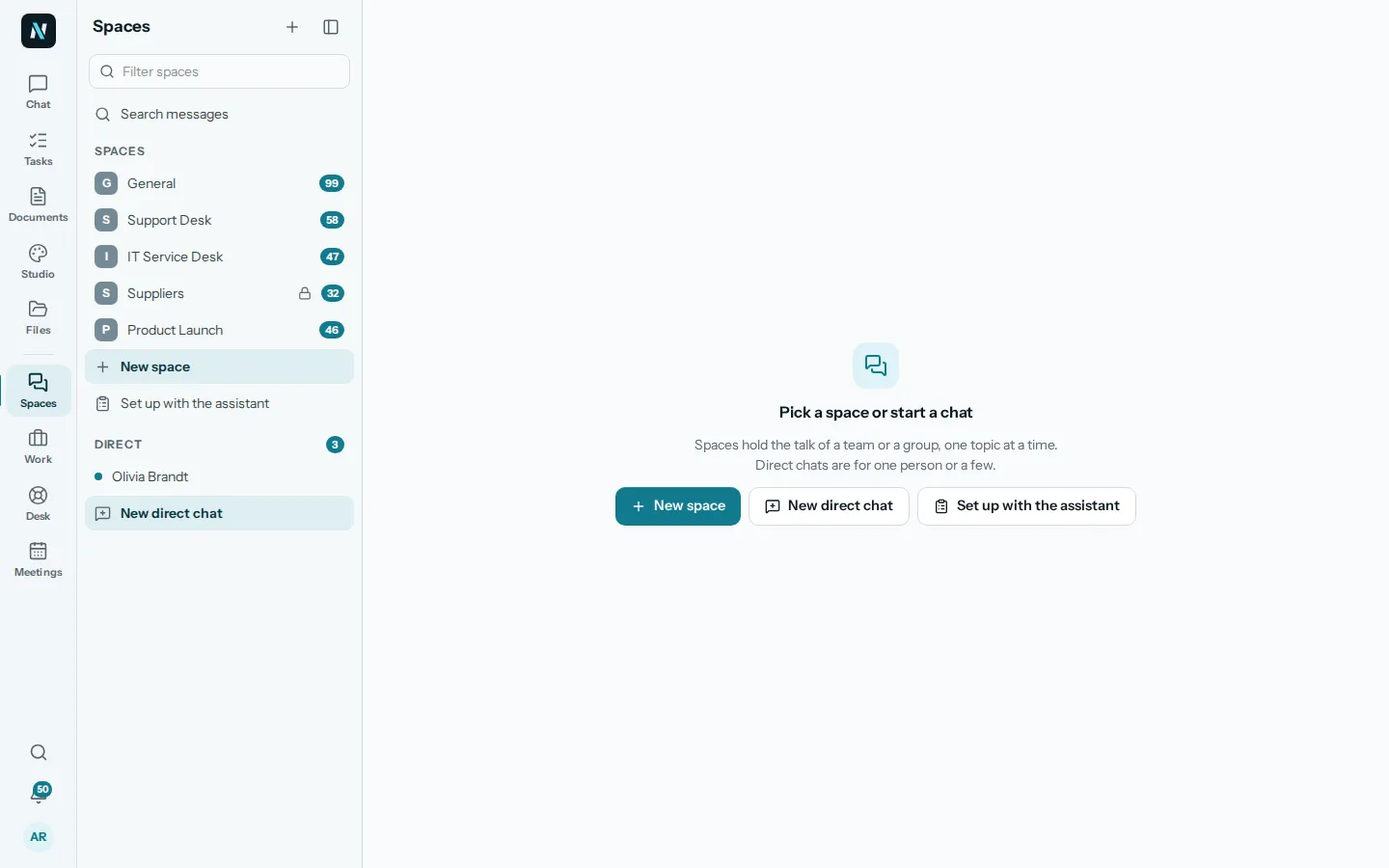
  • The Spaces place in nerix with a list of spaces such as General, Support Desk and Product Launch, direct chats, and buttons for New space and New direct chat.

    Csapatmunka6 perc olvasás

    Team chat that keeps the work in one place

    Why team chat turns into noise and how to fix it: spaces and topics, decisions that become tasks, notification habits and rules a small team can keep.

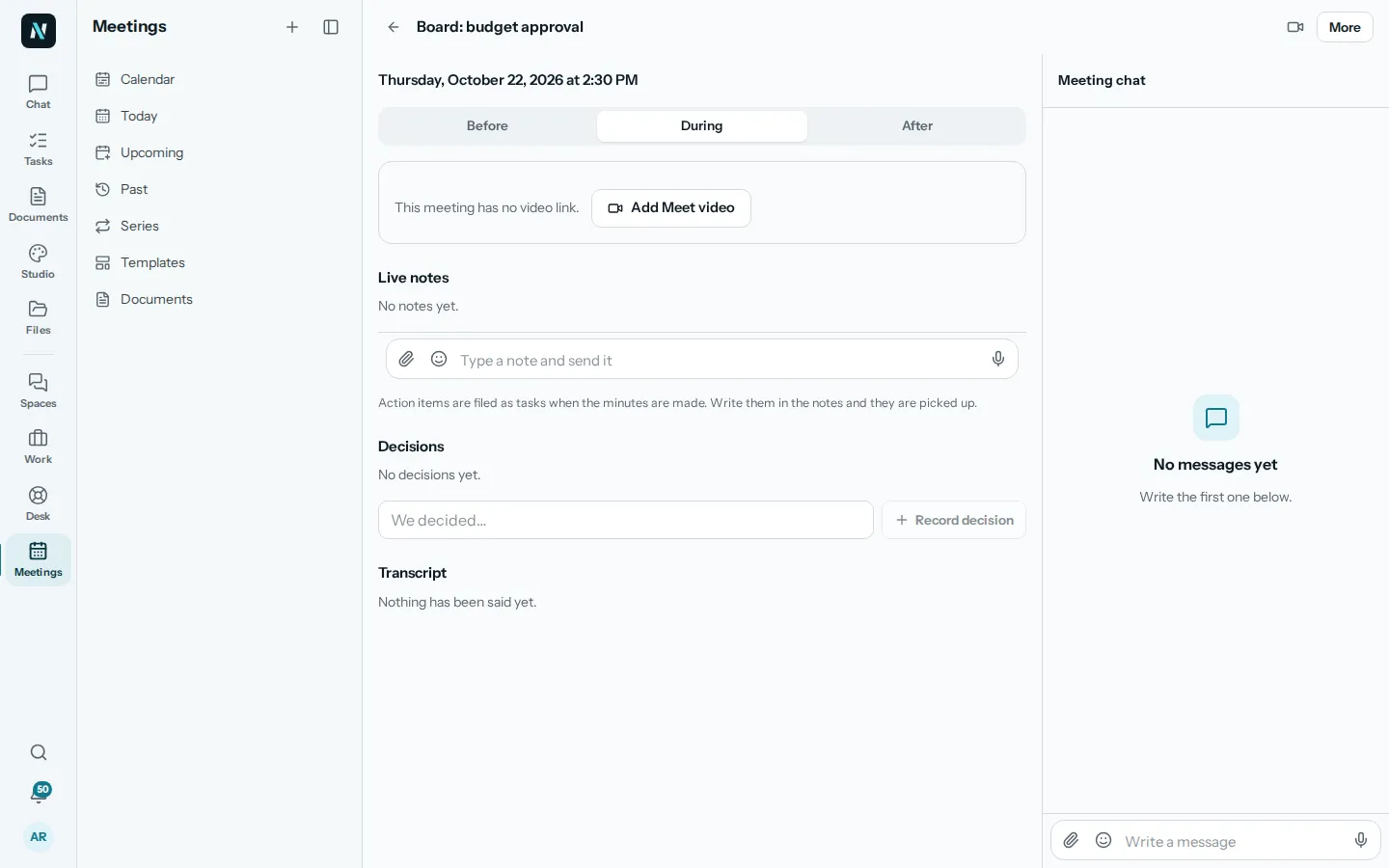
  • The During tab of an example meeting in nerix, with live notes, decisions and the transcript in one place.

    Csapatmunka4 perc olvasás

    Run a weekly planning meeting that works

    A short, structured weekly planning meeting for small teams: what to review, how to set priorities, who owns what, and how to keep it under thirty minutes.